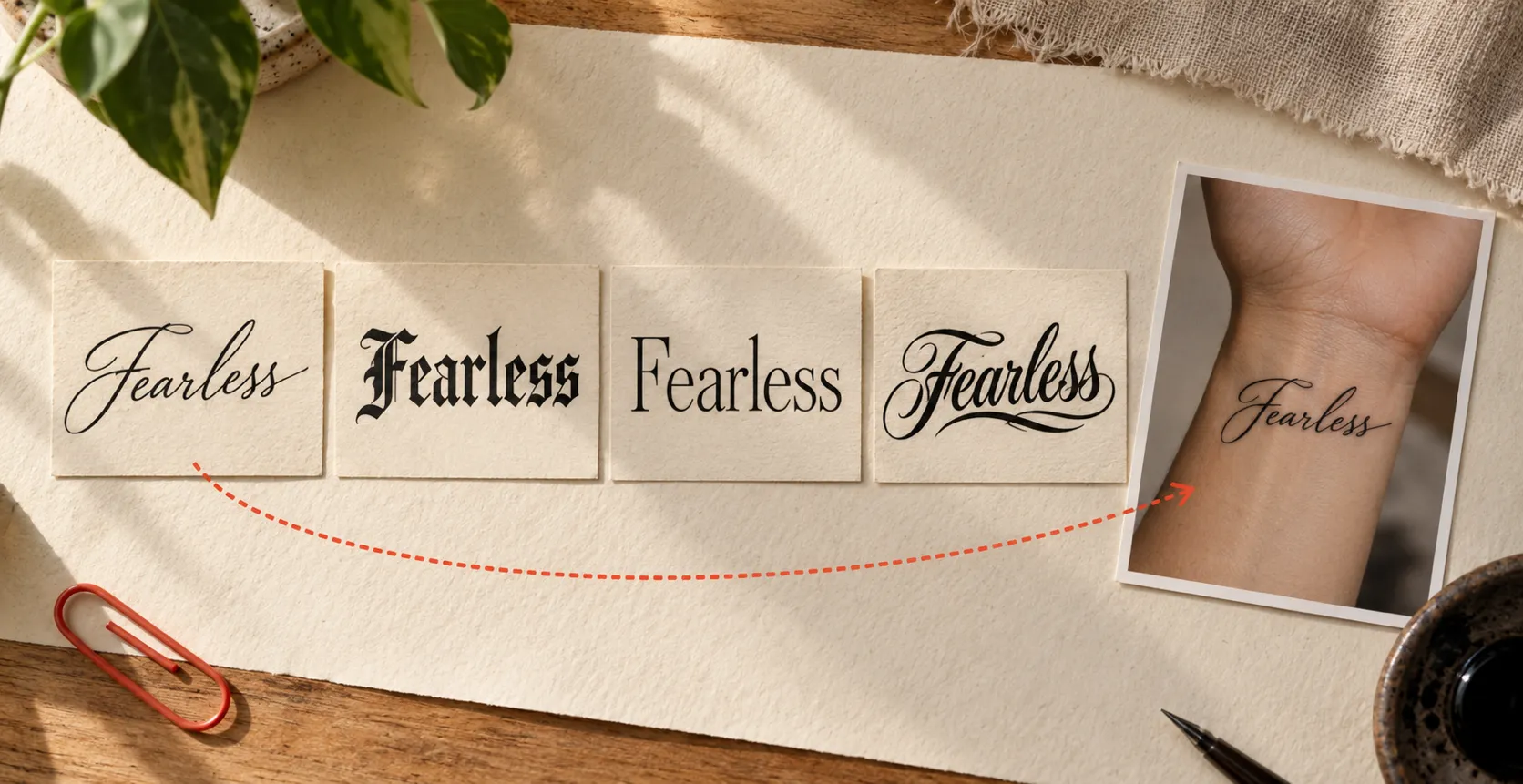
Tattoo Font Generator

Preview tattoo fonts free or create AI lettering from your words.

Courage
Lettering Studio

Tattoo Font Generator for Names, Quotes and Dates

A tattoo font generator shows how a name, date or quote will look as tattoo lettering before it is inked. This one gives you two ways to shape your words. Classic Font Preview redraws your text in 19 font families as you type, with eight ink colors, a custom color picker and skin-tone backgrounds. AI Tattoo Lettering builds a fresh image in a style such as Old English, Chicano or Blackletter. Enlarge, compare and download the versions that feel right, then share them with your artist.

Preview Fonts Free
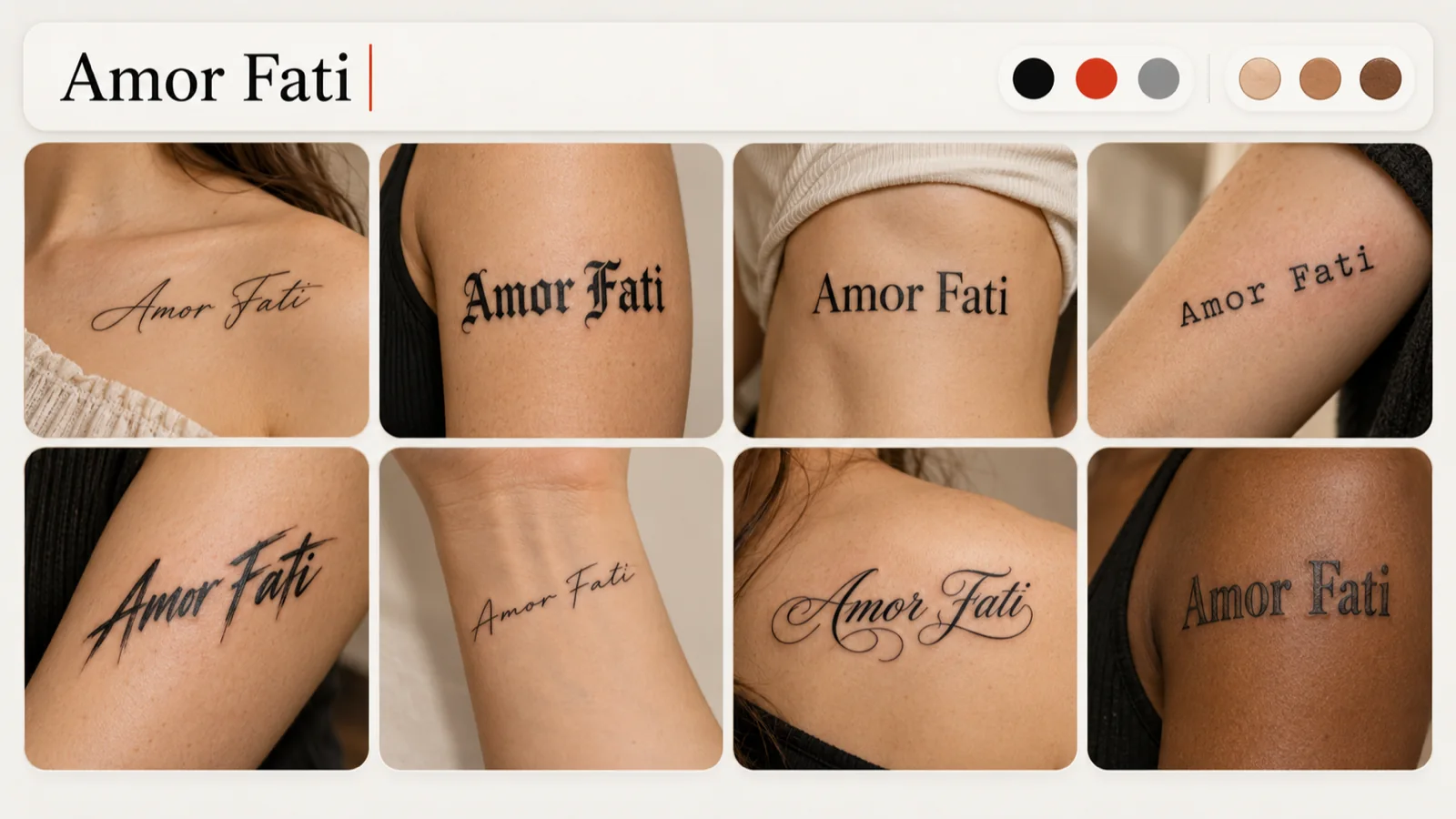
Tattoo font generator previewing Amor Fati in eight fonts with ink color and skin-tone toggles

19 Classic Lettering Styles in One Tattoo Font Generator

Type up to 60 characters, such as a child's name, a short motto or an anniversary, and watch 19 classic font families update together. Script, serif, typewriter and bold display faces each give the same words a different personality. Switch the ink between black, gray, red and other shades, or set a fair, tan, olive or dark skin background to judge contrast. Open any card in a larger view to study the curves and spacing. Classic previews spend no credits and never send a generation request. When you want the words inside a wider illustration, carry them into the AI Tattoo Generator and build the scene around your lettering.
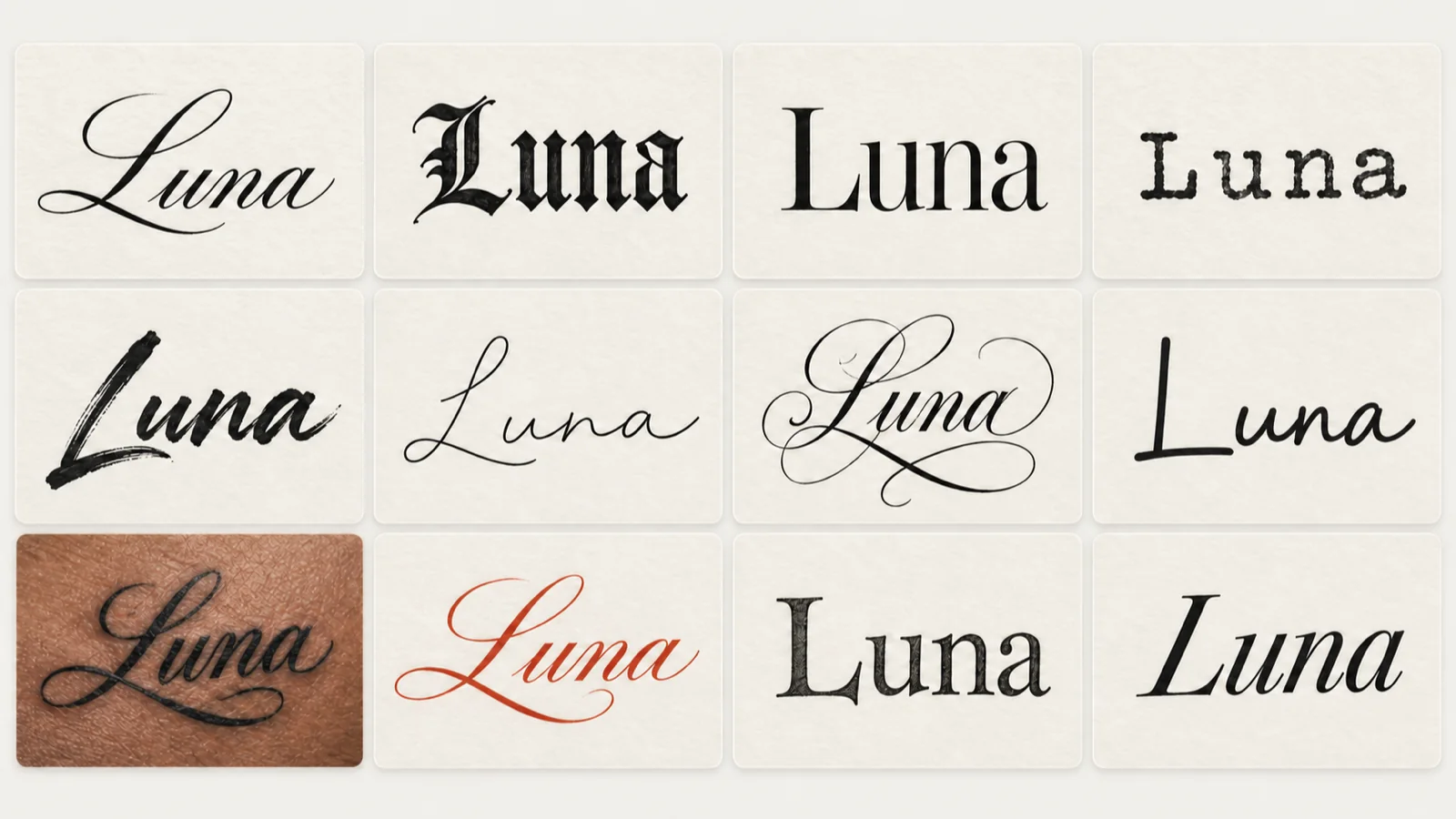
The word Luna shown in 12 classic tattoo fonts, including one card on deep skin tone and one in red ink

Preview How Your Tattoo Font Fits a Body Image

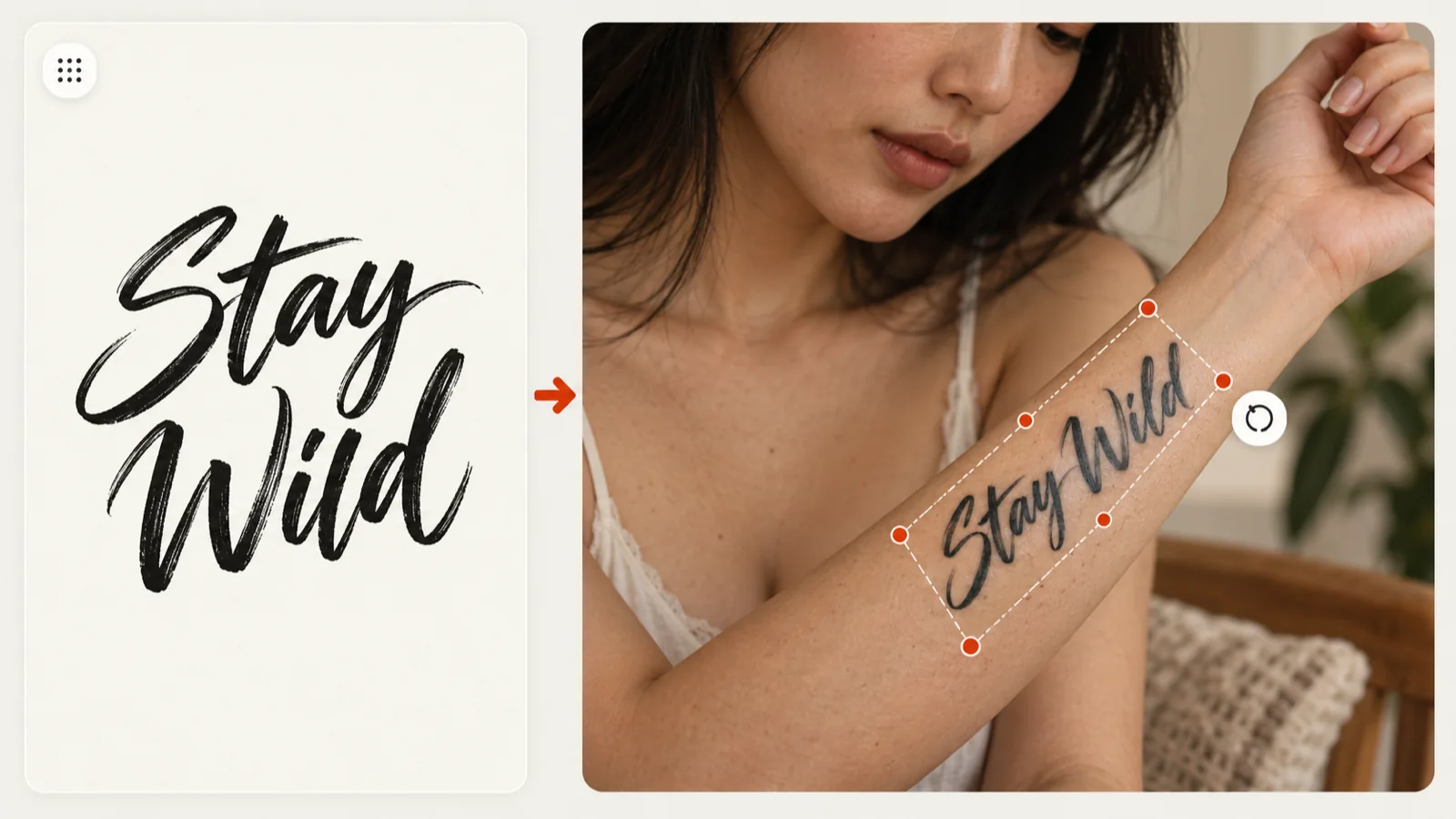
Lettering that looks balanced on a flat card can feel very different on a curved forearm or along the collarbone. Export the style you prefer from the tattoo font generator and open it in Virtual Tattoo Try-on with your own body photo or one of the sample body photos. Classic try-on lets you drag, resize and rotate the words while you test placements. Save the composite as a record of the size and angle you have in mind, and keep the original lettering file as well. Your tattoo artist still sets the final dimensions and adapts the letters to the shape of your body.

Stay Wild lettering moved from a flat card onto a forearm photo with resize and rotate handles

Create Custom Tattoo Lettering from Your Own Text

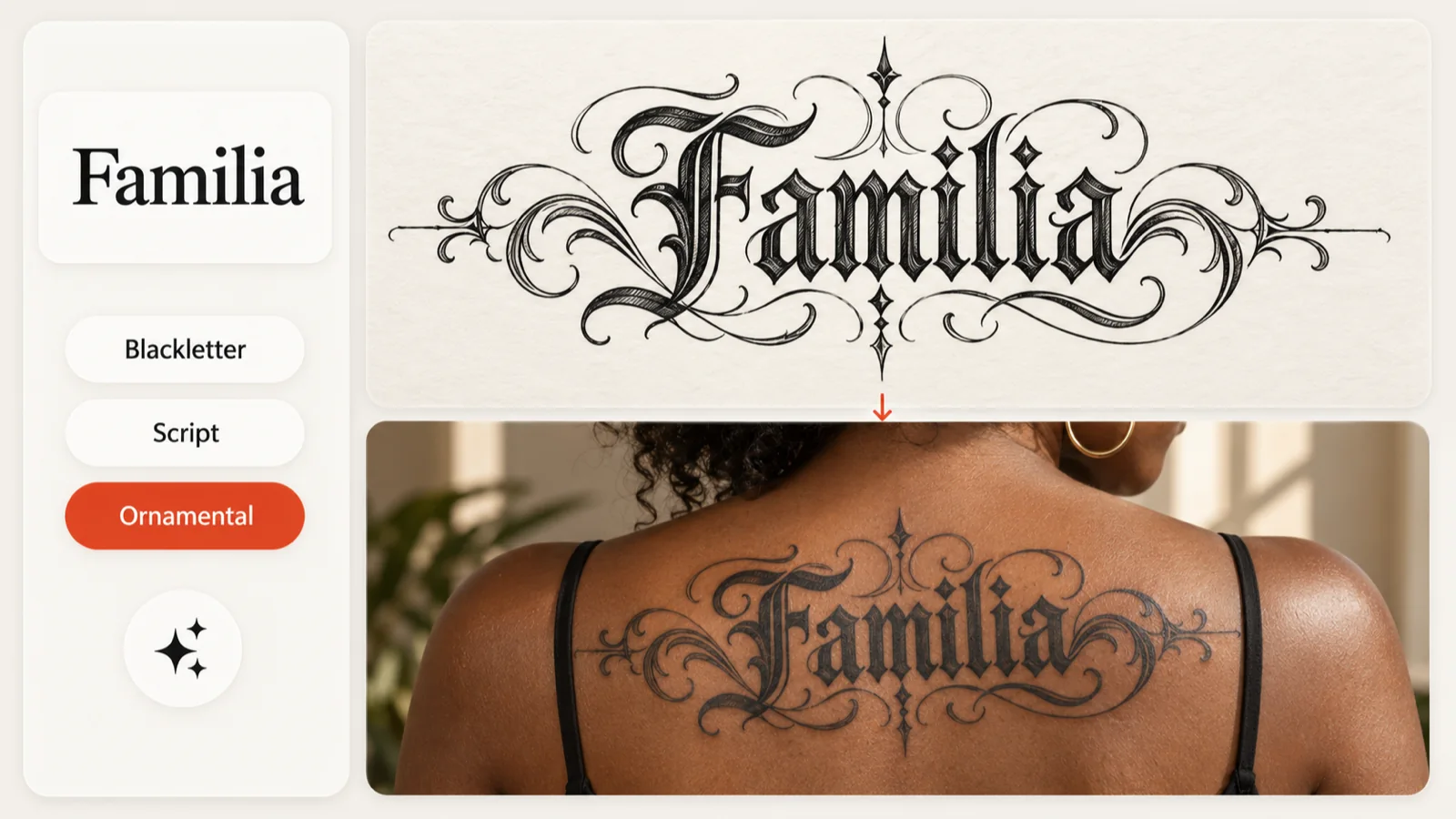
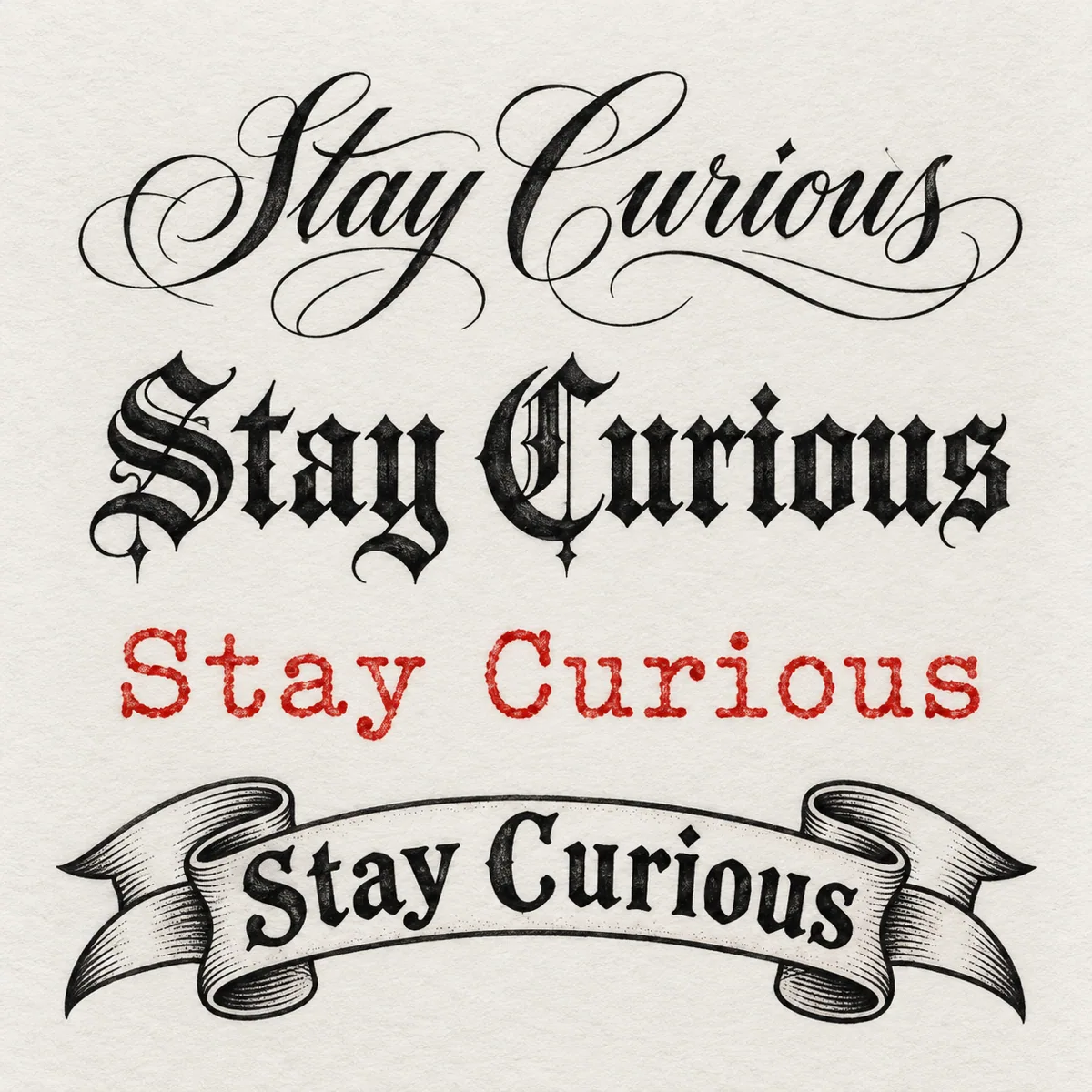
Choose AI Tattoo Lettering when you want a generated artwork rather than a live font sample. Write the exact words, pick a lettering style such as Blackletter, Script or Calligraphy, and set the text to run horizontally or vertically. The tattoo font generator shows the image model and the 10-credit cost before anything is created, and the finished image opens in the same viewer as your other designs. This mode accepts many languages, so check every character, accent and space with care. Keep the version you like in My Ink and let an artist refine the letterforms and line weight at their real size.

Familia entered with lettering style chips beside an ornate AI lettering artwork and an upper-back tattoo

From Font Preview to Artist Reference

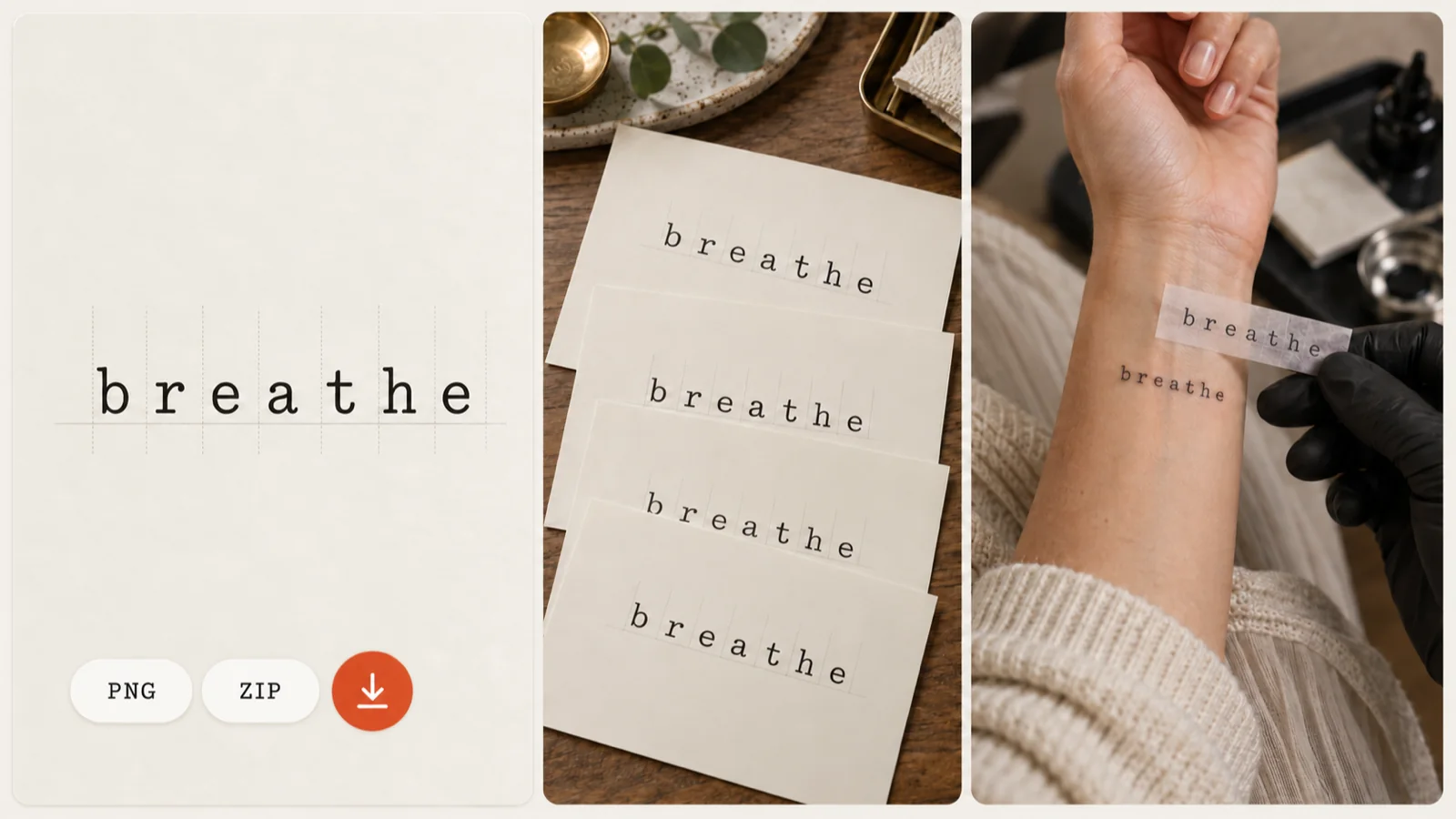
Open any classic font in the larger preview to check how the strokes connect and how much room each letter needs. Download one PNG from the tattoo font generator at no cost, or tick several directions and save them together as a ZIP. A short set of references makes it easier to show your artist exactly what caught your eye. A lettering image can also go into the stencil tool if you want to explore its linework. Before your appointment, view the export at the size you plan to wear it; your tattoo artist prepares the final lettering and the transfer stencil.

Enlarged breathe lettering preview with PNG and ZIP badges, exported sheets and an artist holding a stencil

Ways to Use Your Lettering

Personal lettering

Personal lettering

Try a loved one's name, a birth year or a favorite line in 19 live classic fonts. Adjust the ink color and background, enlarge the ones that stand out and download the tattoo fonts you want to keep for your consultation.

Generate Lettering

Artist consultations

Artist consultations

Bring a few PNG references from the tattoo font generator to your lettering discussion. Compare letter shapes, spacing and wording, and bundle several styles in a ZIP when you want to keep more than one option open. Place the words on a body image in Classic Try-on and download a composite to show the scale and position you have in mind.

Generate Lettering
3 SIMPLE STEPS

How to Use the Tattoo Font Generator

1

Enter your text

Type the words you want inked into the tattoo font generator, from a single initial to a short quote.

Get started
2

Choose your lettering

Compare 19 classic fonts with different ink colors and skin tones, or switch to AI Tattoo Lettering to generate a new image in a chosen style.

3

Inspect and download

Enlarge a font to check its details, then save one PNG or select several styles as a ZIP to take to your artist.

Original lettering preview
Generate Lettering

Why Use This Tattoo Font Generator?

Free classic previews

Edit your words and the previews refresh instantly. Classic mode sends no generation request and spends no AI credits, so you can try spellings and letter shapes as often as you like.

19 font families

See the same text in 19 classic tattoo fonts at once. Script, serif and display styles sit side by side, and any card can be enlarged to check spacing and letter shapes.

Color controls

Pick from eight ink colors or a custom shade, then test the lettering on fair, tan, olive or dark skin backgrounds to see where the contrast holds up.

Custom AI lettering

AI Tattoo Lettering turns your text and chosen style into a new image for 10 credits. The cost is shown before you generate, and every character deserves a check before you save.

PNG and ZIP exports

Download a single font as a PNG or bundle several styles in a ZIP, so the wording and style you liked stay together for your artist consultation.

Placement exploration

Any lettering PNG from the tattoo font generator can move into Virtual Tattoo Try-on, where you can drag, resize and rotate it on a body image and save the composite next to the original file.

Original Workflow Examples

Original Tattoo Design workflow exampleEnter your text

Type the words you want inked into the tattoo font generator, from a single initial to a short quote.

Try this workflow

Frequently Asked Questions (FAQ)

Is the tattoo font generator free?

Classic Font Preview is free. It renders your text in 19 fonts as you type, and you can download one PNG or a ZIP of selected styles without spending credits. AI Tattoo Lettering costs 10 credits per image, and once you sign in, your free daily AI generation can cover one.

Which languages does the tattoo font generator support?

Classic Font Preview works with English text only. AI Tattoo Lettering supports multiple languages, which makes it the better choice for accented or non-Latin words. Check each character before you save or share the result.

How is AI Tattoo Lettering different from the classic fonts?

Classic previews redraw your words in fixed font families instantly. AI Tattoo Lettering generates a new artwork from your text, a lettering style and a horizontal or vertical layout, so each result can carry its own flourishes.

Can I download every classic font at once?

Yes. Click Select All, then Download Selected, and the tattoo font generator packs the chosen previews into one ZIP. Any single font can also be saved as a PNG.

Can my tattoo artist use the lettering I download?

Treat it as a reference. Share it to talk through wording, size, placement and line weight; your artist redraws the letters for your skin and prepares the final stencil.

See Your Words as Tattoo Lettering

Open the tattoo font generator, type something that matters to you and compare classic previews for free. Try AI Tattoo Lettering when you want a one-of-a-kind image, then save your favorites to show your artist.

Start Lettering