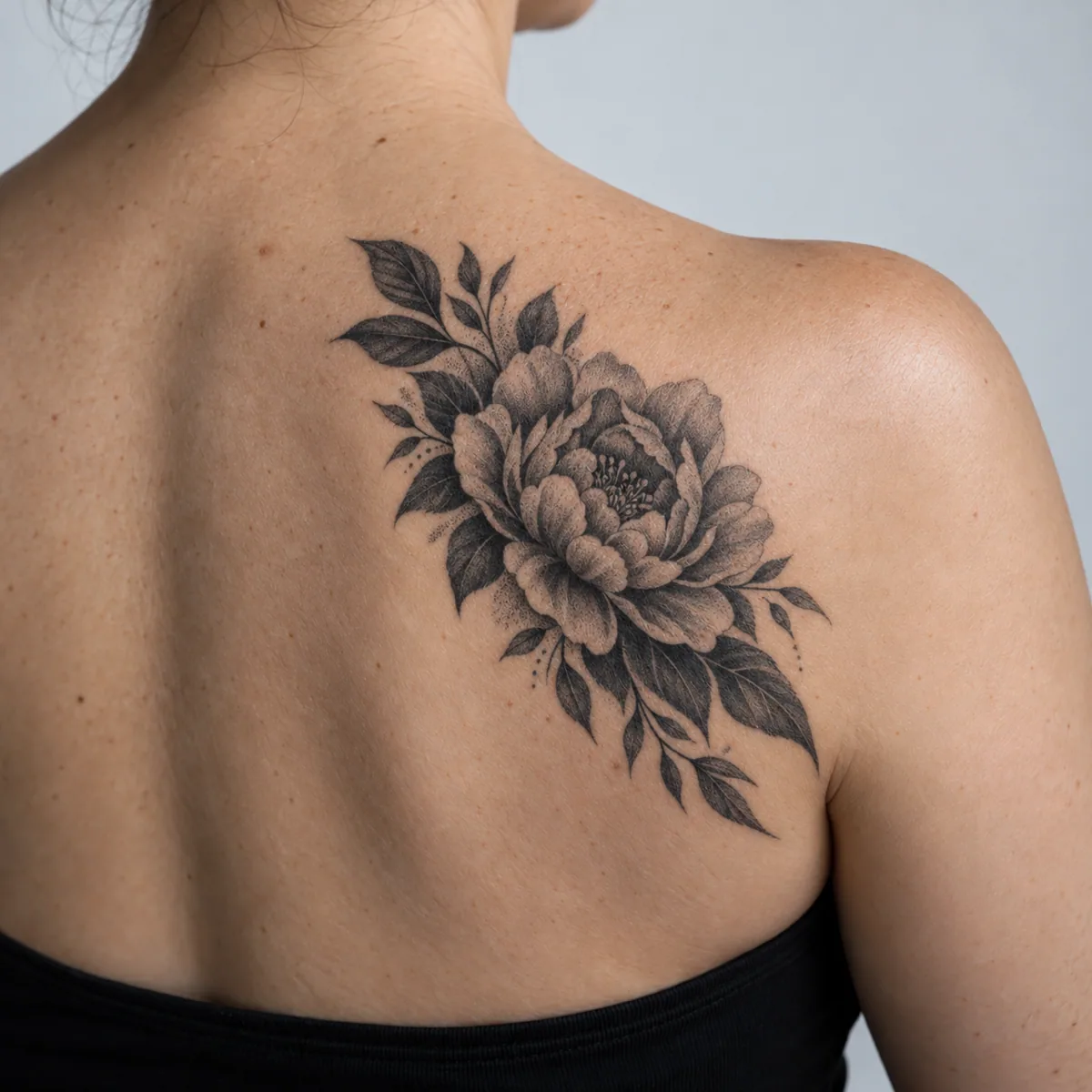
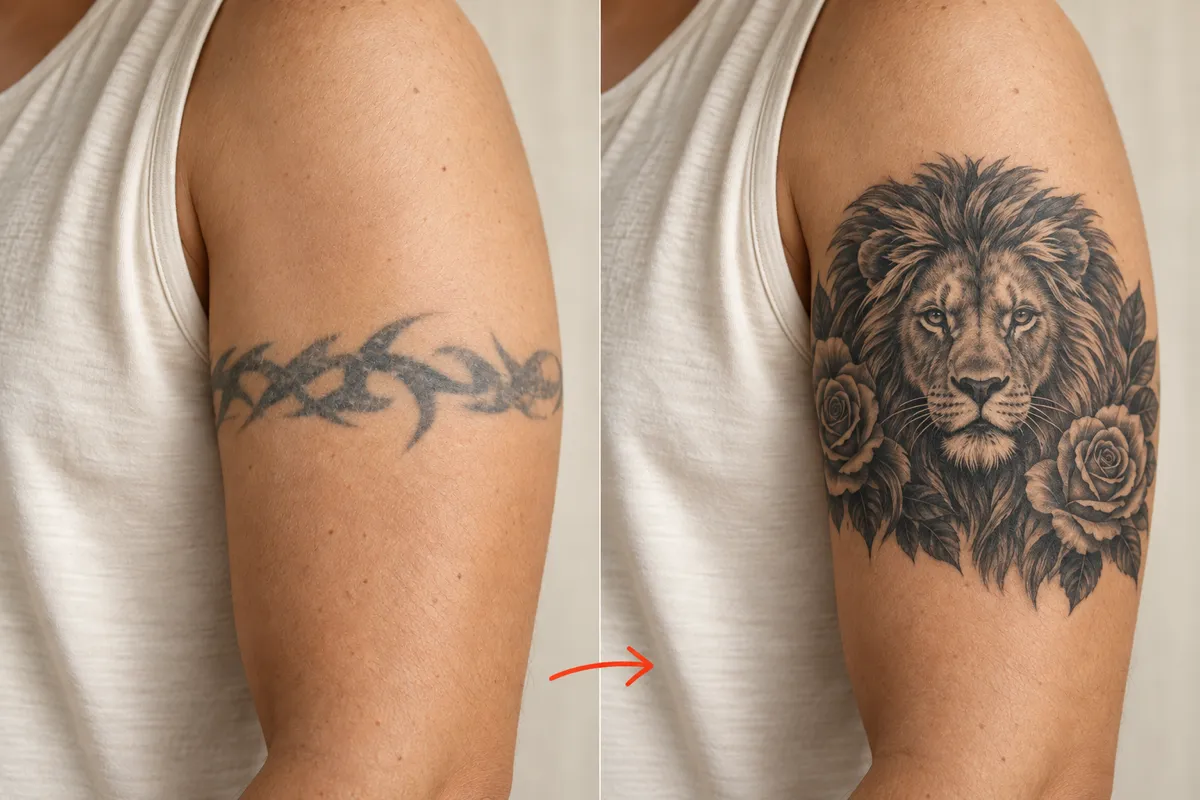
Preview a new design over the tattoo you have outgrown.
Tattoo Cover Up
Plan Your Tattoo Cover Up Before the Consultation
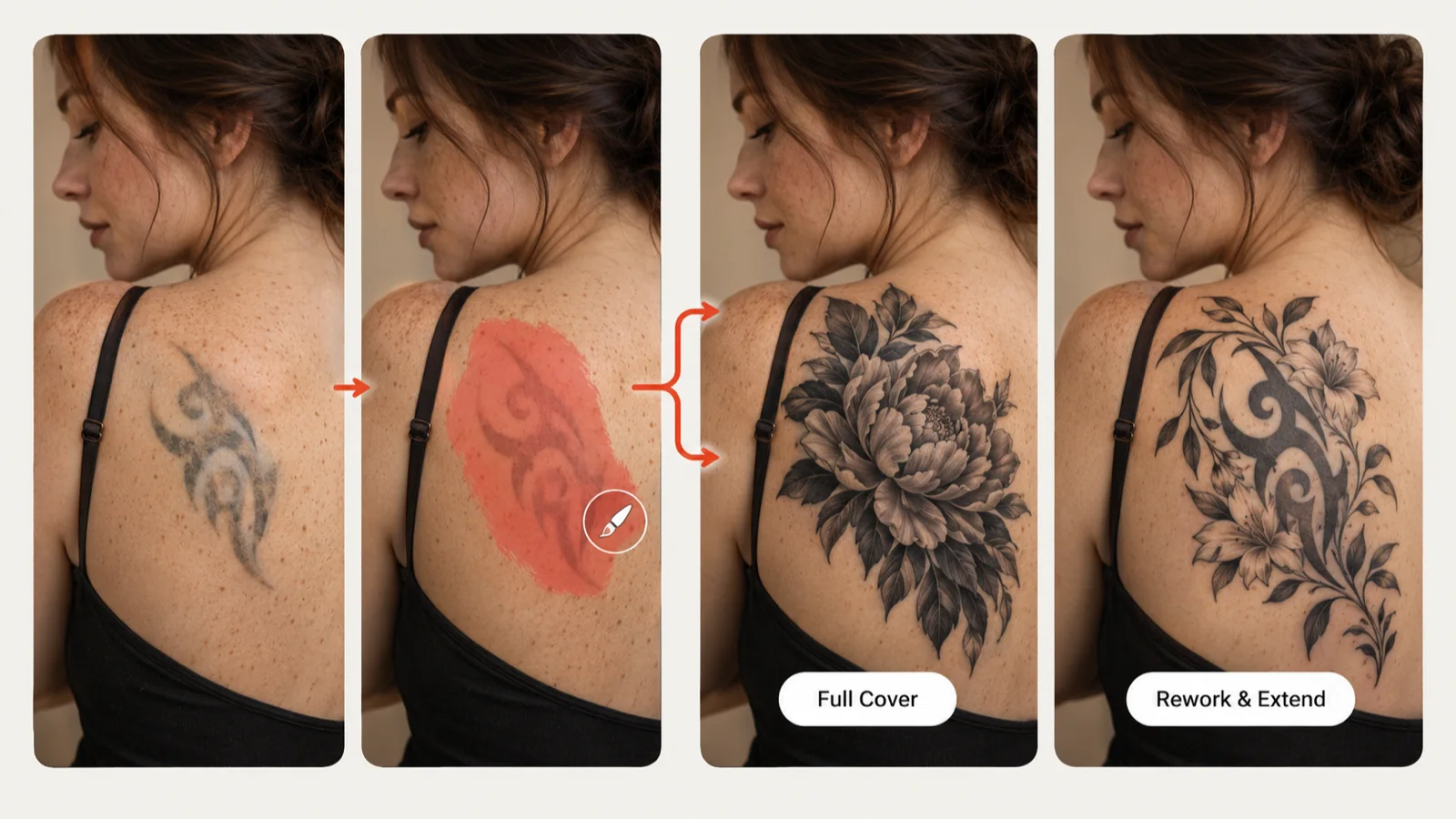
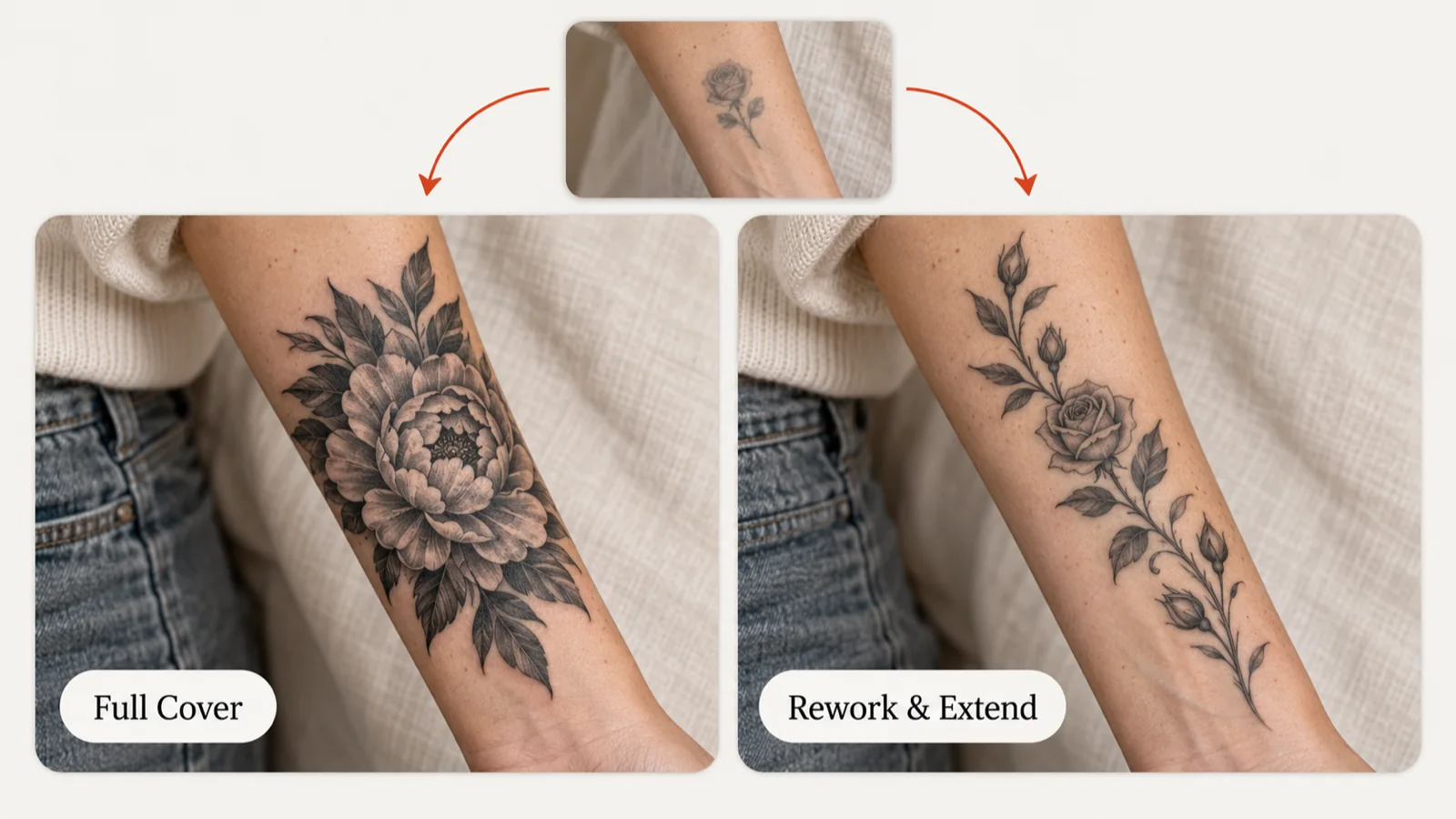
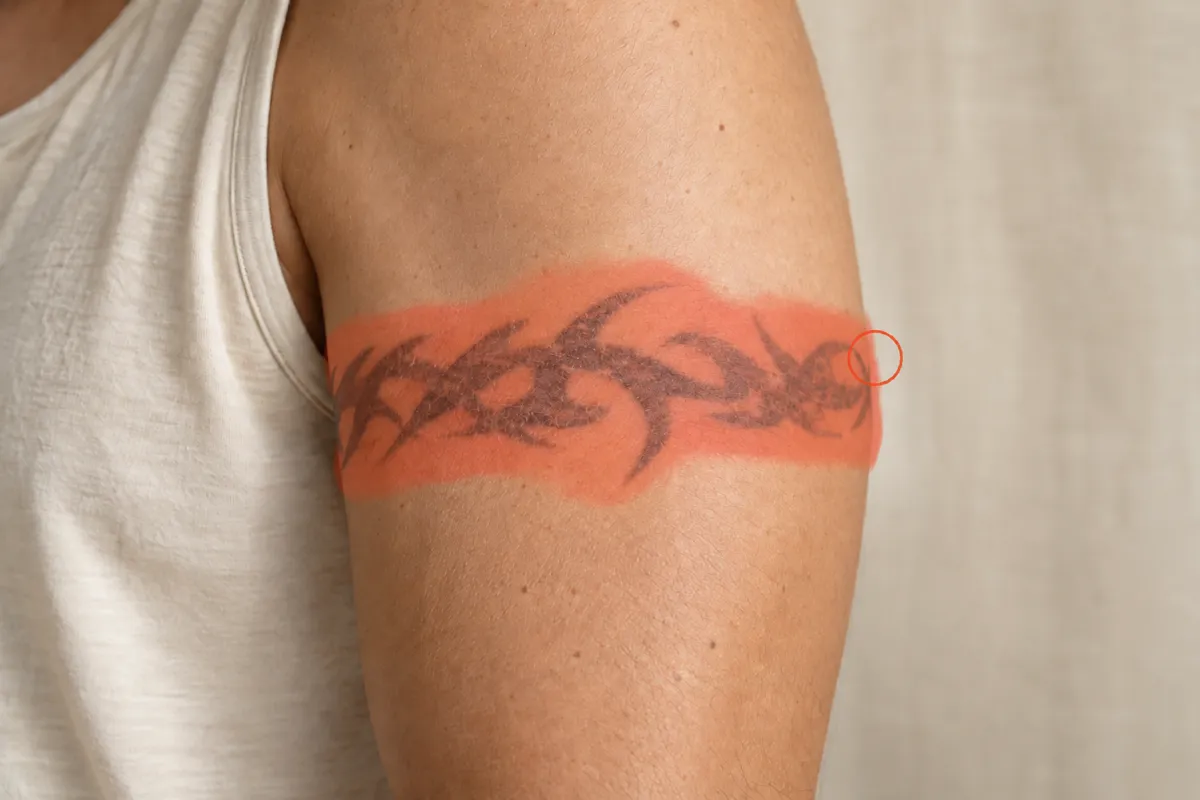
An AI tattoo cover up previews a new design over an old tattoo on a photo of your own skin. Most people who want a tattoo cover up already know what bothers them about the old piece; the harder part is picturing what could replace it. Upload a photo of the existing ink, brush over the part you want to change and describe the new subject. Full Cover swaps the marked area for a fresh design, while Rework & Extend keeps what still works and builds on it. The result is a concept placed on your own photo, ready to show your tattoo artist.
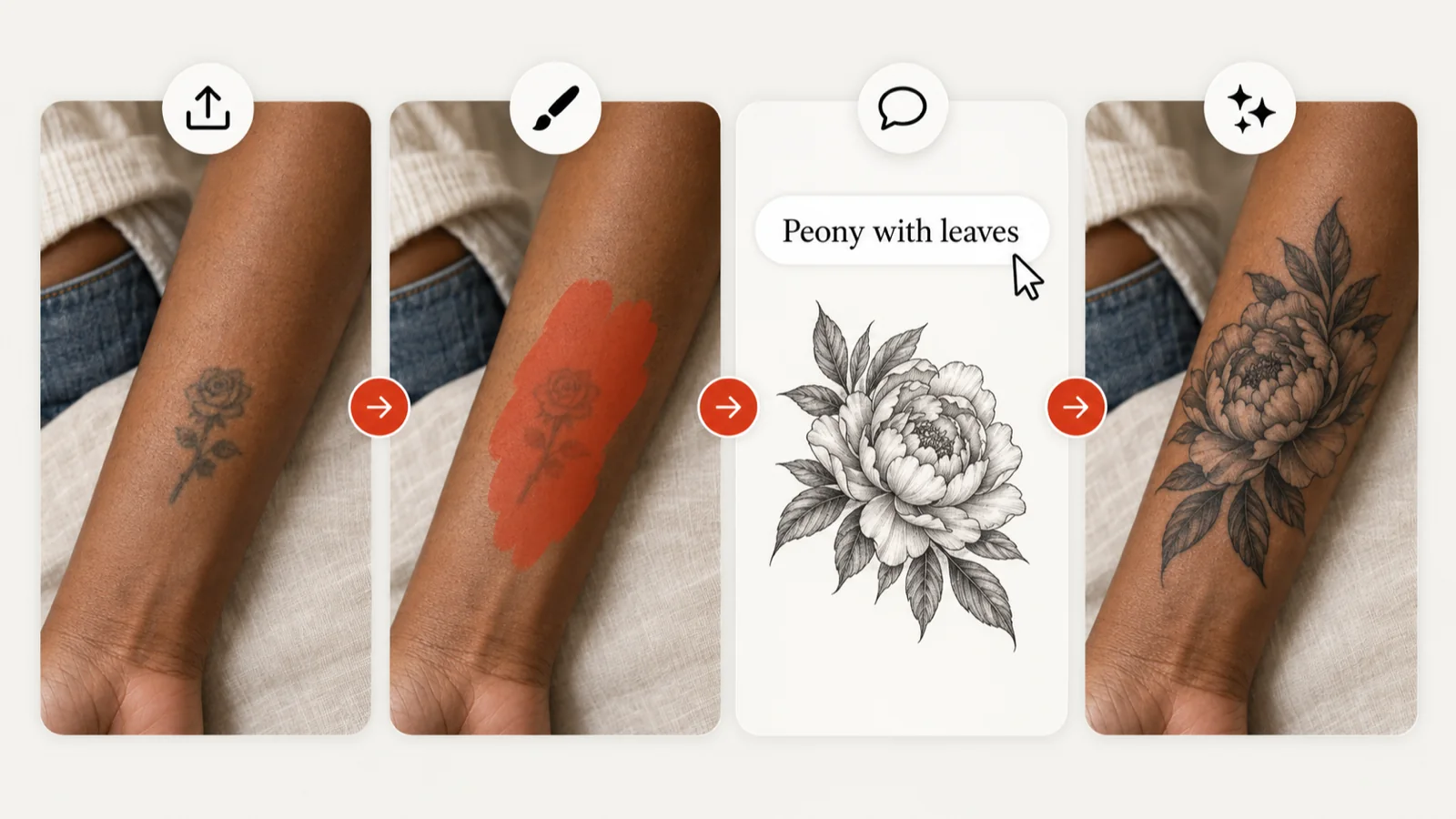
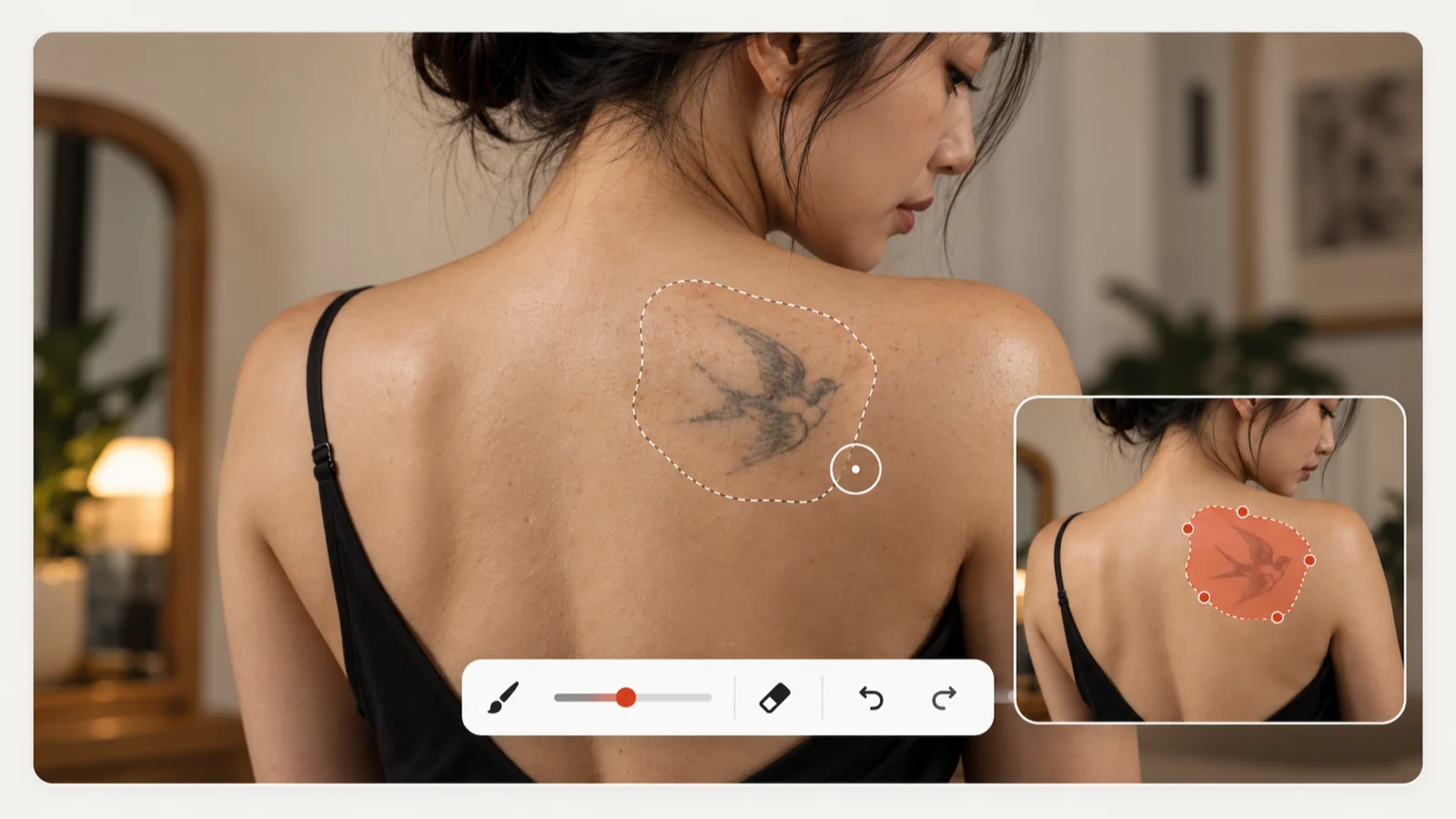
The tool starts from a photo of the tattoo you already have. Upload a clear, well-lit shot, paint over the area that should change, then write what you want in its place, such as a peony with leaves over a small faded rose. Pick a style and generate: the new design is blended into the marked area while the rest of your photo stays as it was. Treat each result as a planning concept, because your artist still judges how the old ink, the placement and your skin will shape the finished piece.
Give an Old Tattoo a New Meaning
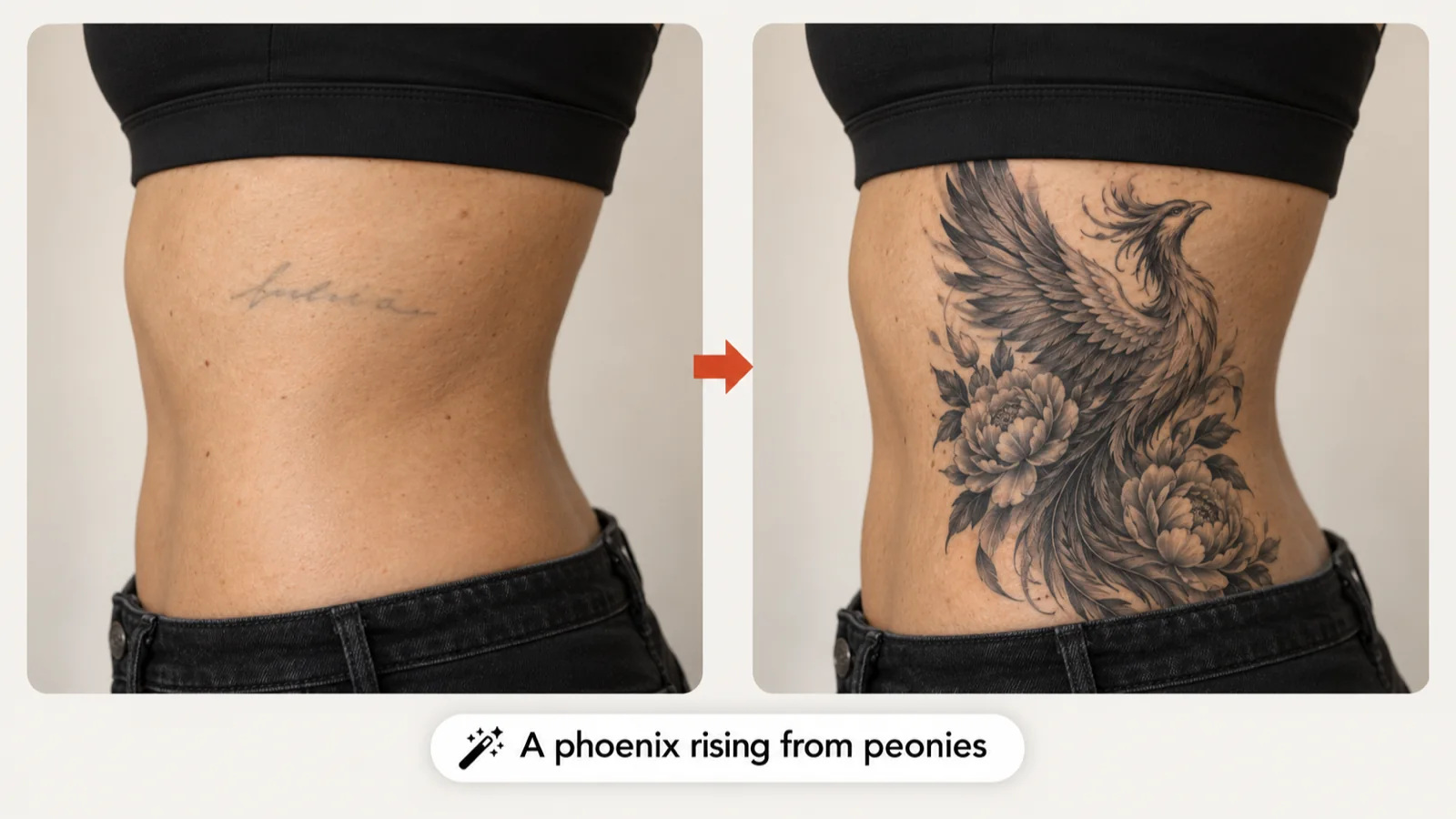
Plenty of cover up tattoo ideas begin with a name, a date or a phrase that no longer fits your life. Instead of simply hiding it, describe a subject that means something to you now, like a phoenix rising from peonies over faded script on the ribs. The description box holds up to 500 characters, enough for the subject, the mood and any detail you want worked in. Save the versions you like and take them, together with the original photo, to your artist, who can tell you which direction will actually cover well.
Mark Exactly Which Part of the Tattoo Changes
Your brush selection tells the generator where it may work. After uploading, paint over the old ink on the selection canvas, adjust the brush size for tight edges, and use the eraser, undo or redo until the outline fits. Leave a little margin around faded edges or soft shading so the new design has room to hide them. Everything outside the selection comes straight from your photo, which makes it easy to judge the tattoo cover up in context. A preview cannot predict healing or tell whether scarred skin will take ink, so ask a qualified artist about the real area.
Full Cover or Rework & Extend: Pick Your Approach
Full Cover replaces the selected area with a completely new design, which suits dark, blurry or unwanted work you would rather not see again. Rework & Extend keeps the parts you still like and refines them or adds new elements, for example turning a small rose into a flowing floral vine. Choosing the mode is often the biggest decision in any tattoo cover up, so try both on the same photo when you are unsure. In your description, name what should stay and what should be new, then check how the edges of the selection blend.
Compare Cover Up Tattoo Ideas Before You Commit
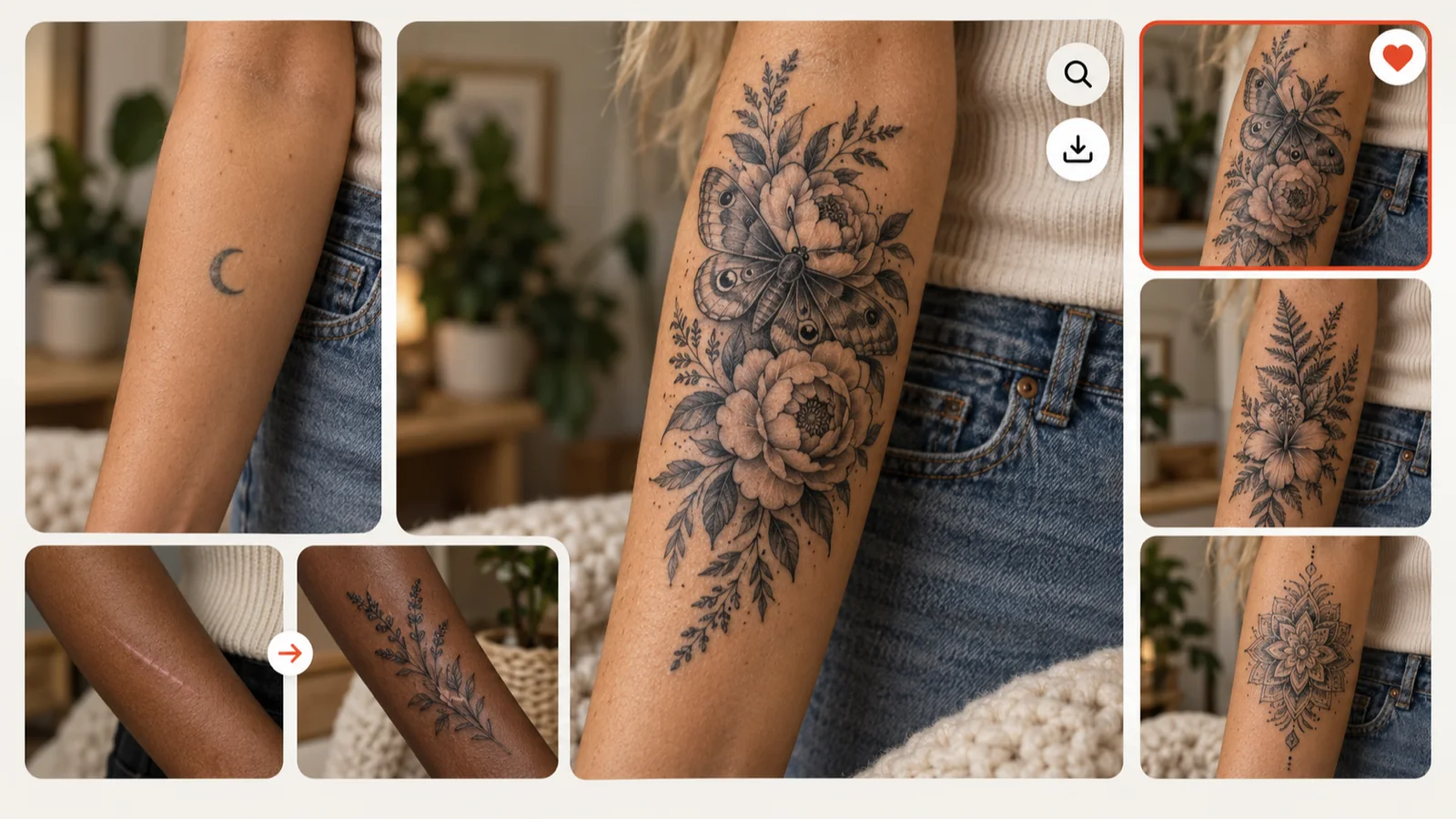
Open each result in the image viewer and set it beside the original photo. A few versions with different subjects or styles quickly show which idea sits best on the body, whether that is a bold replacement or a delicate vine near a small scar. Heart a favorite to keep it in My Ink, or download it for your appointment. Concepts explain your taste far better than words alone, and your artist then sets the real size, density, color and linework the tattoo cover up needs.
3 SIMPLE STEPS
How to Plan a Tattoo Cover Up in Three Steps
All you need is a clear photo of the old tattoo and a rough idea of what should take its place.
1
Upload the old tattoo
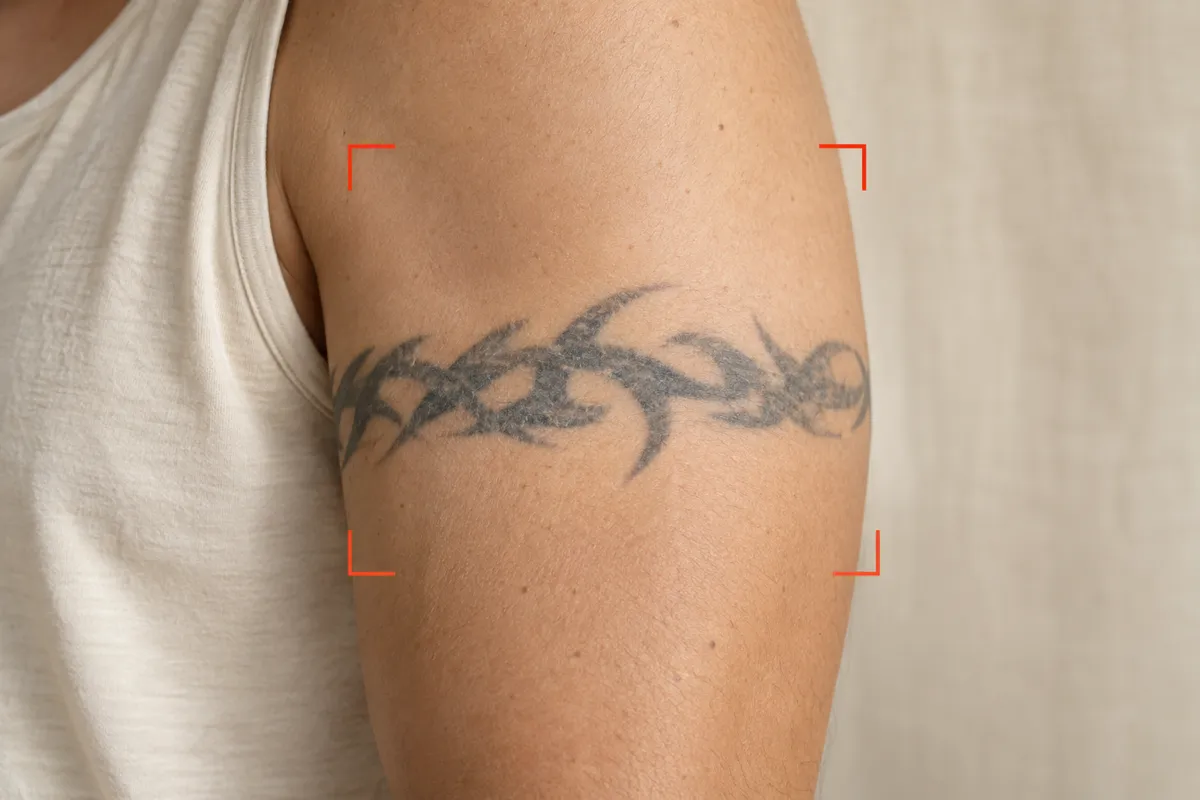
Add a sharp JPG, PNG or WebP photo taken in even light, with the whole tattoo and some skin around it in frame.
Pick Full Cover or Rework & Extend, brush over the ink to change and describe the new design.
3
Compare and save
Check the concept next to your original photo, keep the strongest version and share it with your artist.
Why Preview Your Tattoo Cover Up First
Two Modes for Two Kinds of Cover-Up
Full Cover hides the old work under a brand-new design, while Rework & Extend saves the parts you like and grows them into something bigger.
Precise Brush Selection
Size the brush, erase stray strokes and undo mistakes so only the ink you actually want to change is sent for redesign.
The Rest of Your Photo Stays Put
Skin and tattoos outside the selected area come straight from your upload, so you judge each concept in its real surroundings.
Room to Explain Your Idea
Write the subject, symbolism and mood in your own words, then pair them with a style such as Minimalist or New School.
Easy Side-by-Side Review
Generate several versions, compare each one with the original photo and keep the favorites in My Ink for later.
Better Talks with Your Artist
A visual concept shows your artist the direction you have in mind, so the consultation can focus on coverage, sizing and whether the design will work over the old ink.
See a Tattoo Cover Up Workflow in Action
Upload the old tattoo
Add a sharp JPG, PNG or WebP photo taken in even light, with the whole tattoo and some skin around it in frame.
Use Full Cover when you want the old design gone entirely. Use Rework & Extend when parts of it still feel right and you would rather refine them or add new elements around them.
What photo works best for an AI tattoo cover up?
A sharp, evenly lit JPG, PNG or WebP shot taken straight on, with the full tattoo visible. Avoid heavy filters, glare and steep angles so the old lines are easy to select.
Will the generator change the rest of my photo?
No. Only the area you brush over is redesigned; the pixels outside your selection are kept from the original upload.
Can I fix my selection after drawing it?
Yes. Reopen the selection canvas and use the brush, eraser, undo, redo or clear controls until the outline matches the old ink.
Can a tattoo cover up preview guarantee the old ink will be hidden?
No. Dark pigment, heavy saturation and scar tissue all limit what is possible. The preview shows a direction; your artist decides whether it can be tattooed and how dense it needs to be.
How many credits does a cover-up generation use?
Each generation is a standard AI operation that costs 10 credits, shown on the Generate button. Signed-in users get one free standard generation per day that can be spent here; it is shared with the other tools and resets at midnight UTC.
Where do my cover-up concepts go?
Every result lands in My Ink, where you can favorite, download or share it. Concepts stay in your account until you delete them.
Ready to Rethink Your Old Tattoo?
Upload a photo, mark the ink you have outgrown and see a tattoo cover up concept you can take to your artist.