Upload a photo or sketch and get a tattoo-ready design.
↔
BeforeAfter
Photo to Tattoo
How Image to Tattoo Redraws Your Picture as Ink
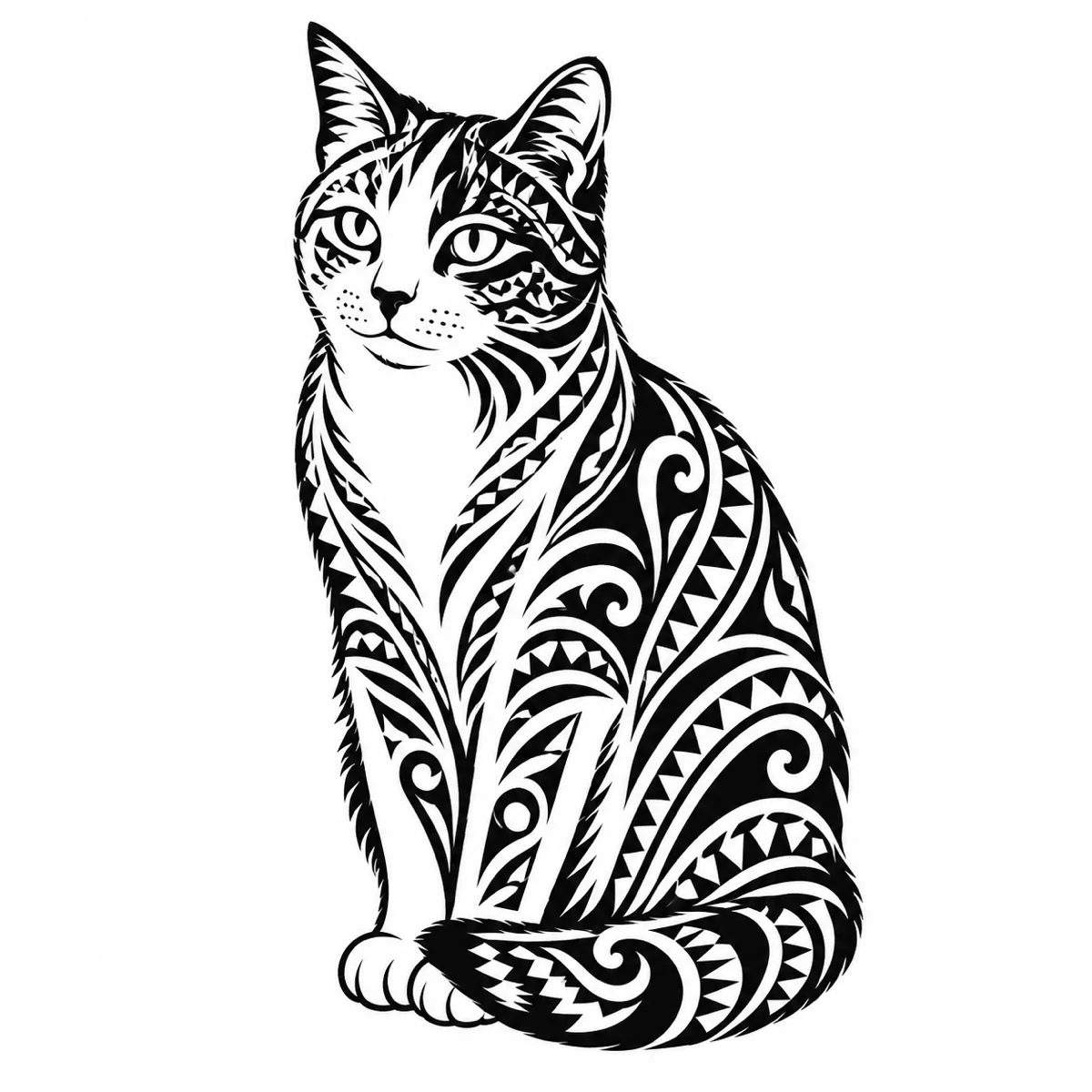
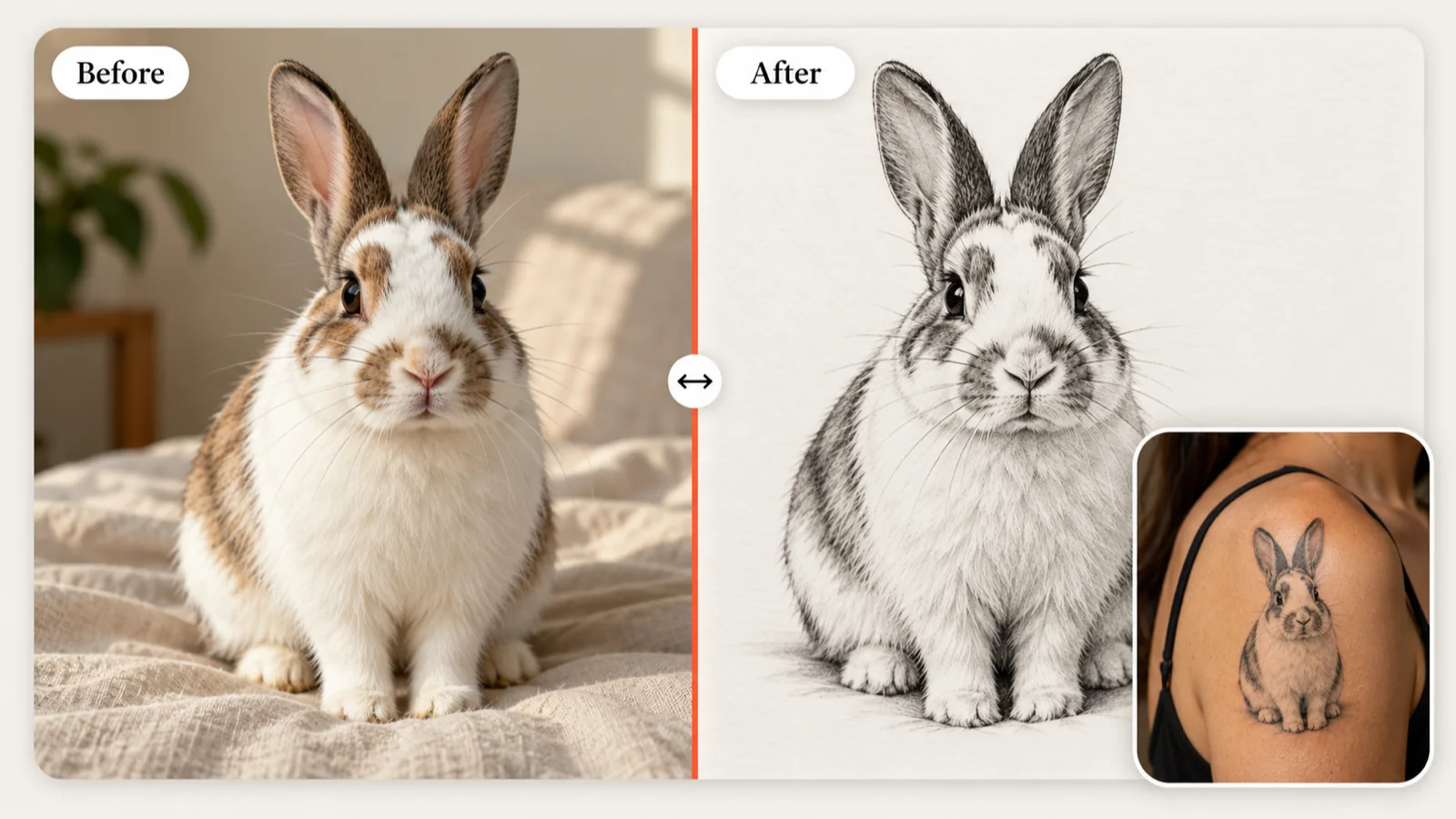
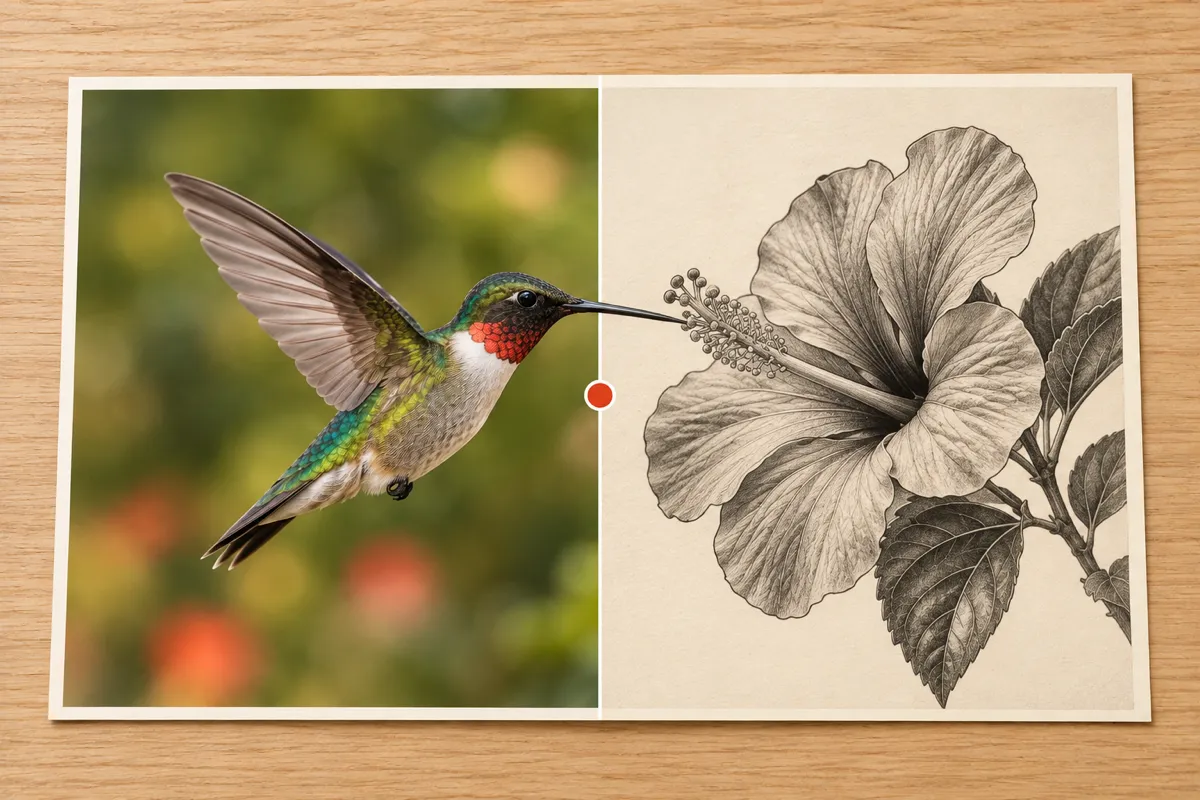
Image to tattoo is an AI conversion that redraws a photo or sketch as tattoo artwork: it keeps the subject you care about and changes how it is drawn. The AI follows the pose, outline and facing direction of your upload, then renders it in the tattoo style and level of detail you pick, isolated on a clean white background. Slide between your original and the new design to check the likeness before you save it.
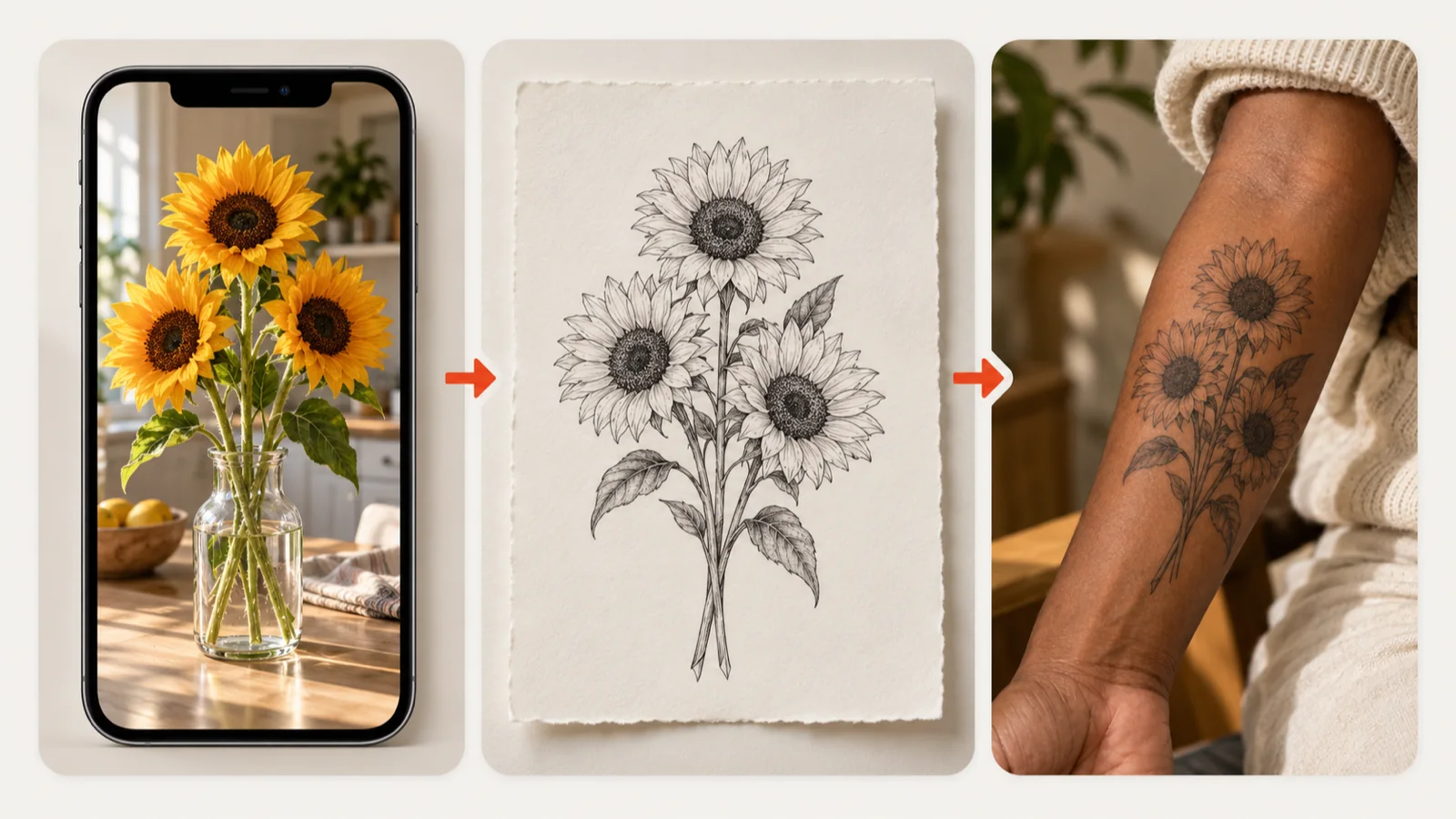
Image to tattoo is an AI converter that takes a picture you already have and returns a drawing an artist could ink. Many people know their subject long before they know their design: sunflowers on the kitchen table, a dog asleep on the couch, a doodle from a notebook. Upload that picture, choose a style, and the image to tattoo tool redraws the same subject with tattoo linework and shading instead of camera pixels. You get a concept to judge on paper first and, later, on skin with your tattoo artist.
Works with Photos, Drawings and Symbols
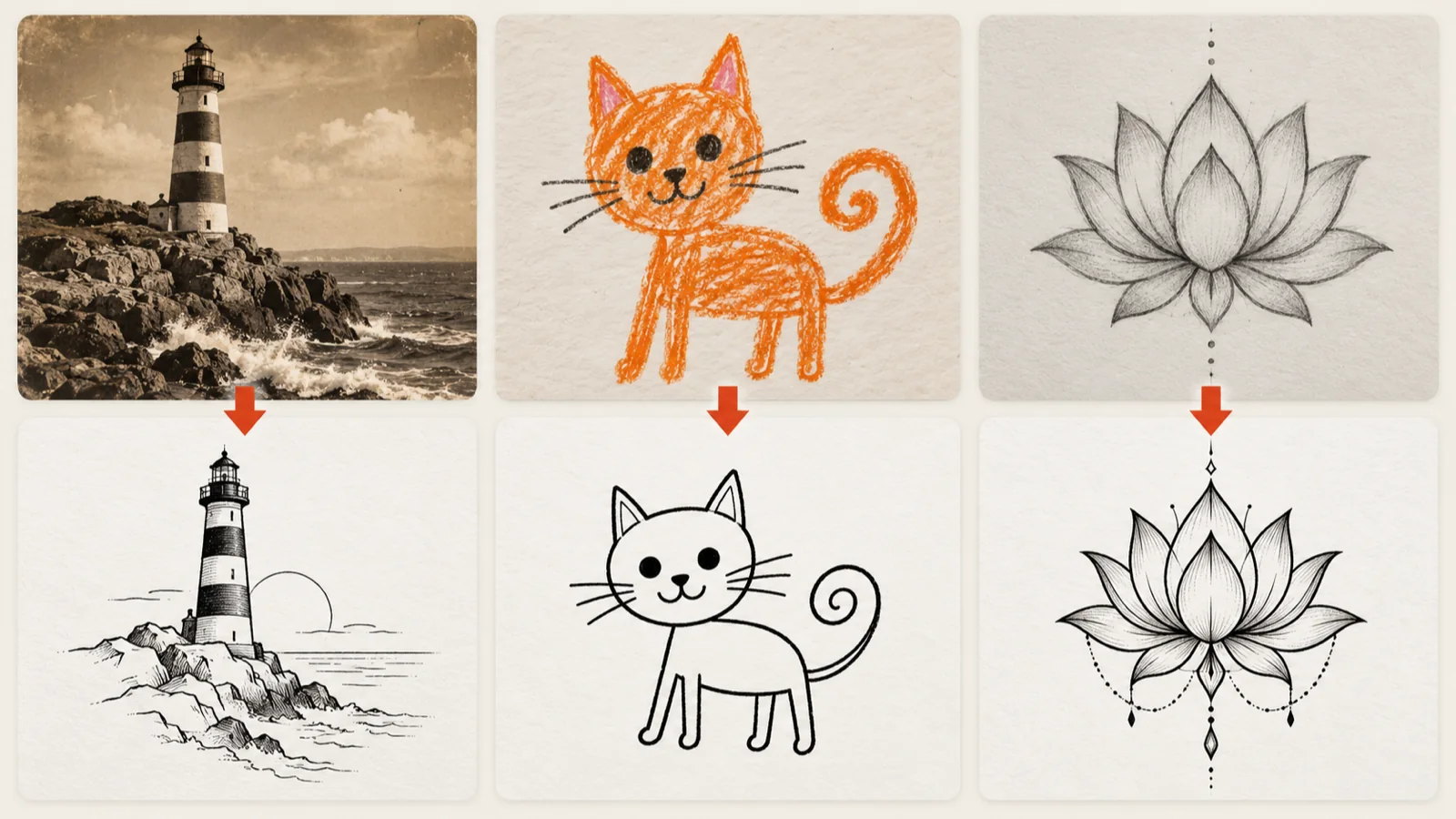
The source does not have to be a perfect photograph. An old snapshot of a lighthouse, a crayon cat drawn by a child or a quick pencil sketch of a lotus can all become a tattoo concept. What matters most is a clear main subject with a readable outline. Crop out clutter before uploading, and swap the file if the first attempt loses the shape. Prefer to start from words rather than a picture? The AI Tattoo Generator builds a design from a written prompt instead.
Check the Details That Make It Yours
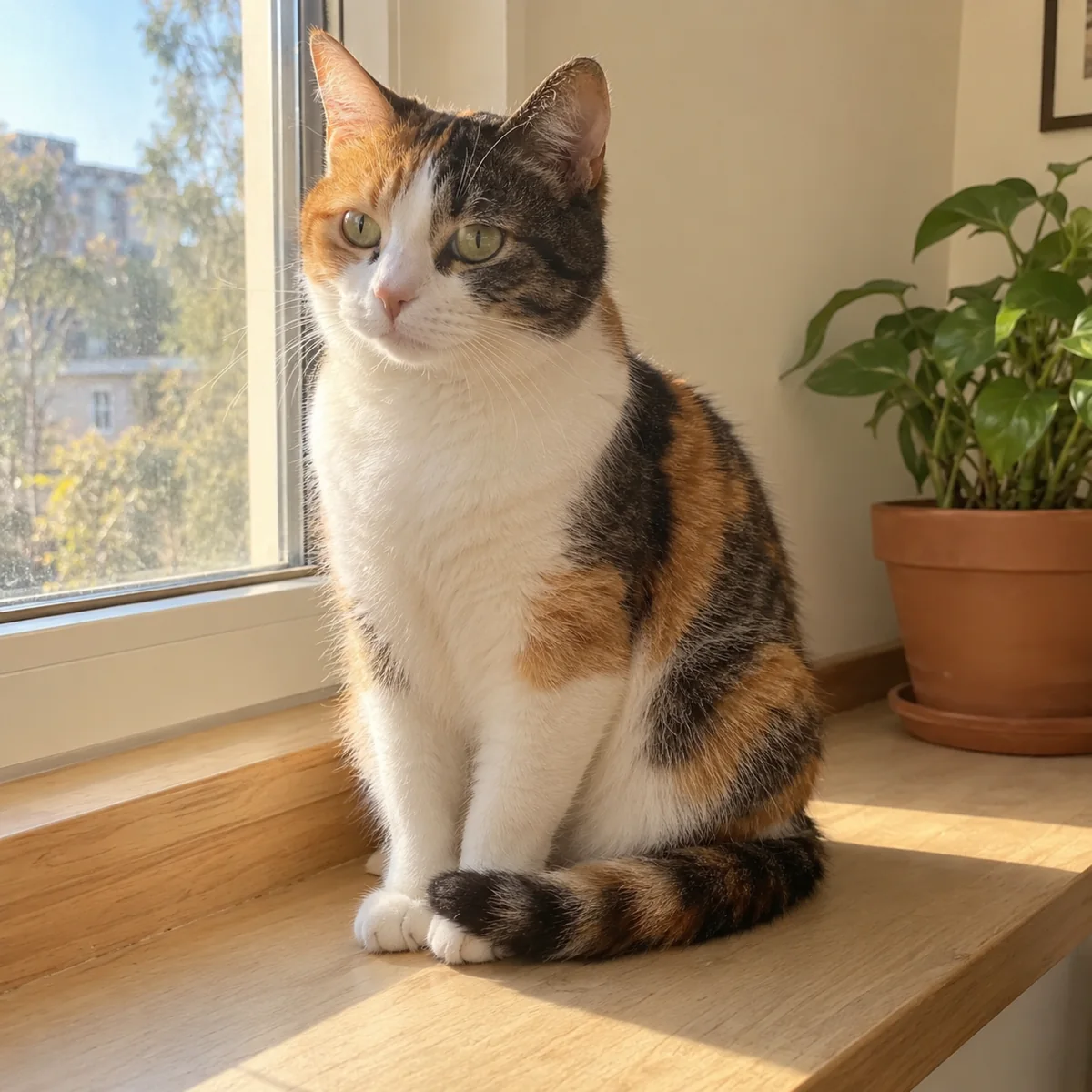
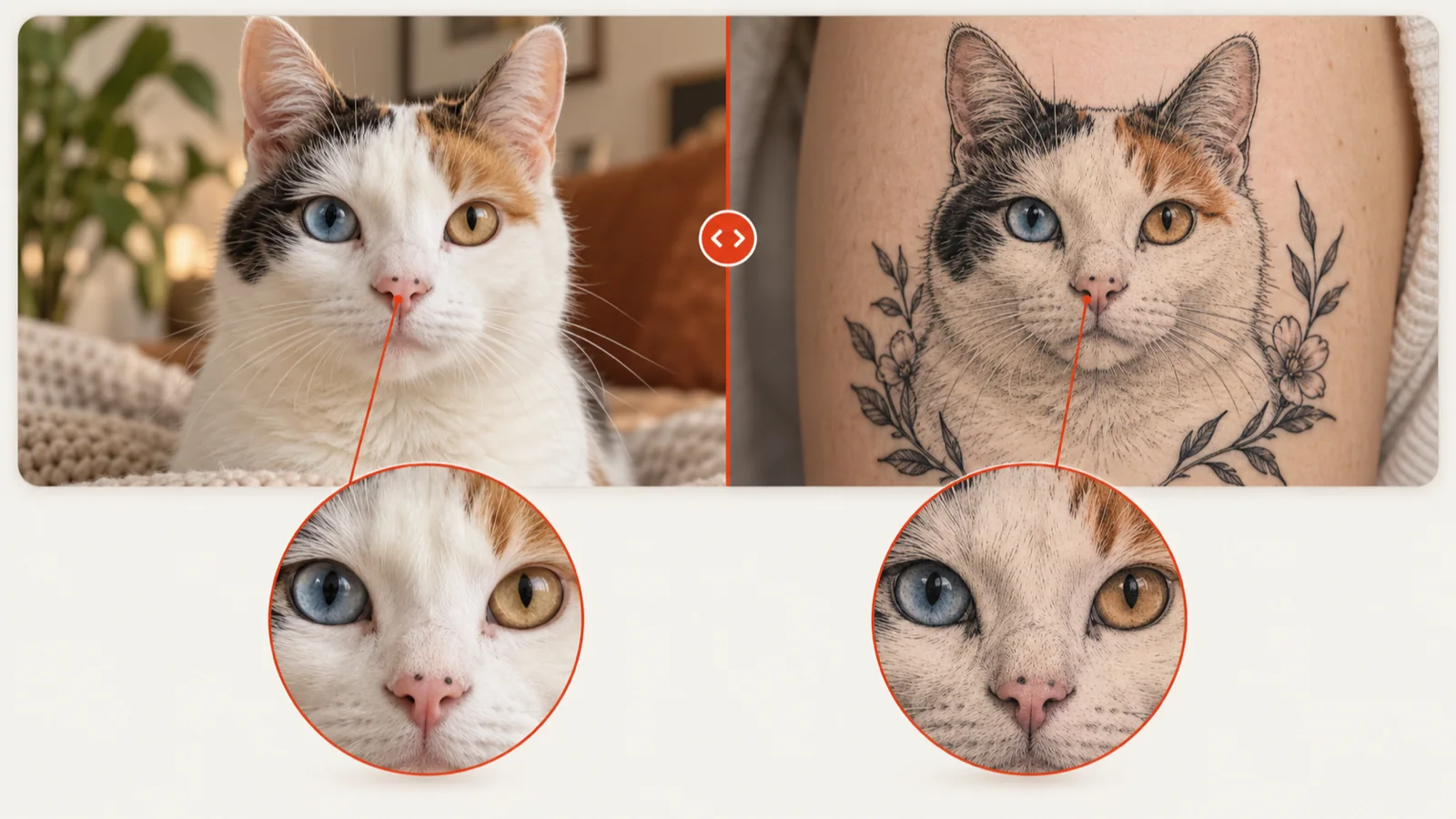
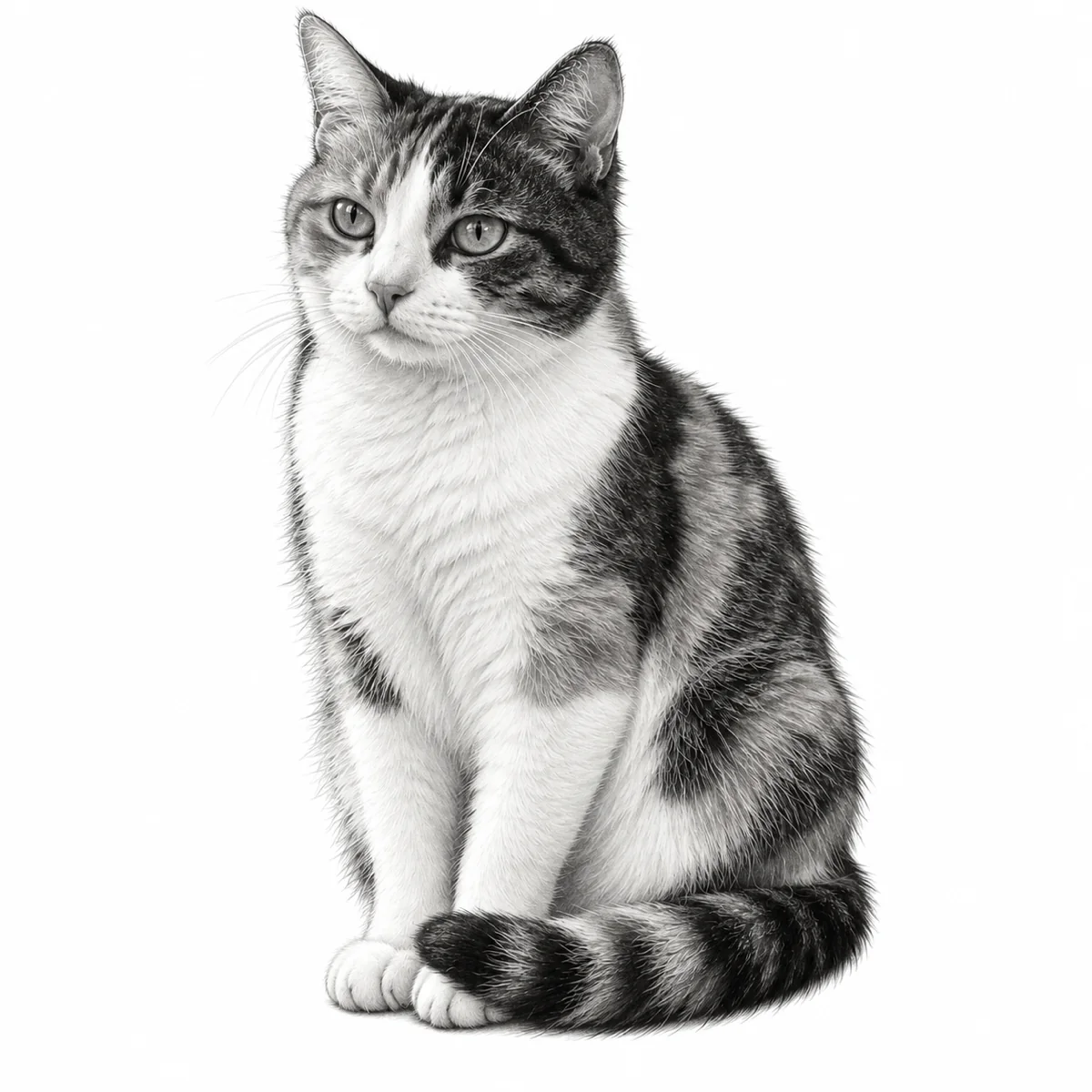
A generic cat is easy to draw; your cat, with one blue eye and a spotted nose, is not. After each result, drag the comparison handle across the picture and look closely at the markings, scars, freckles or engravings that make the subject personal. If an important detail disappears, raise the complexity or try another style and run the conversion again. Keep the version with the closest likeness, then preview its size and placement in Virtual Tattoo Try-on.
One Reference, Many Tattoo Styles
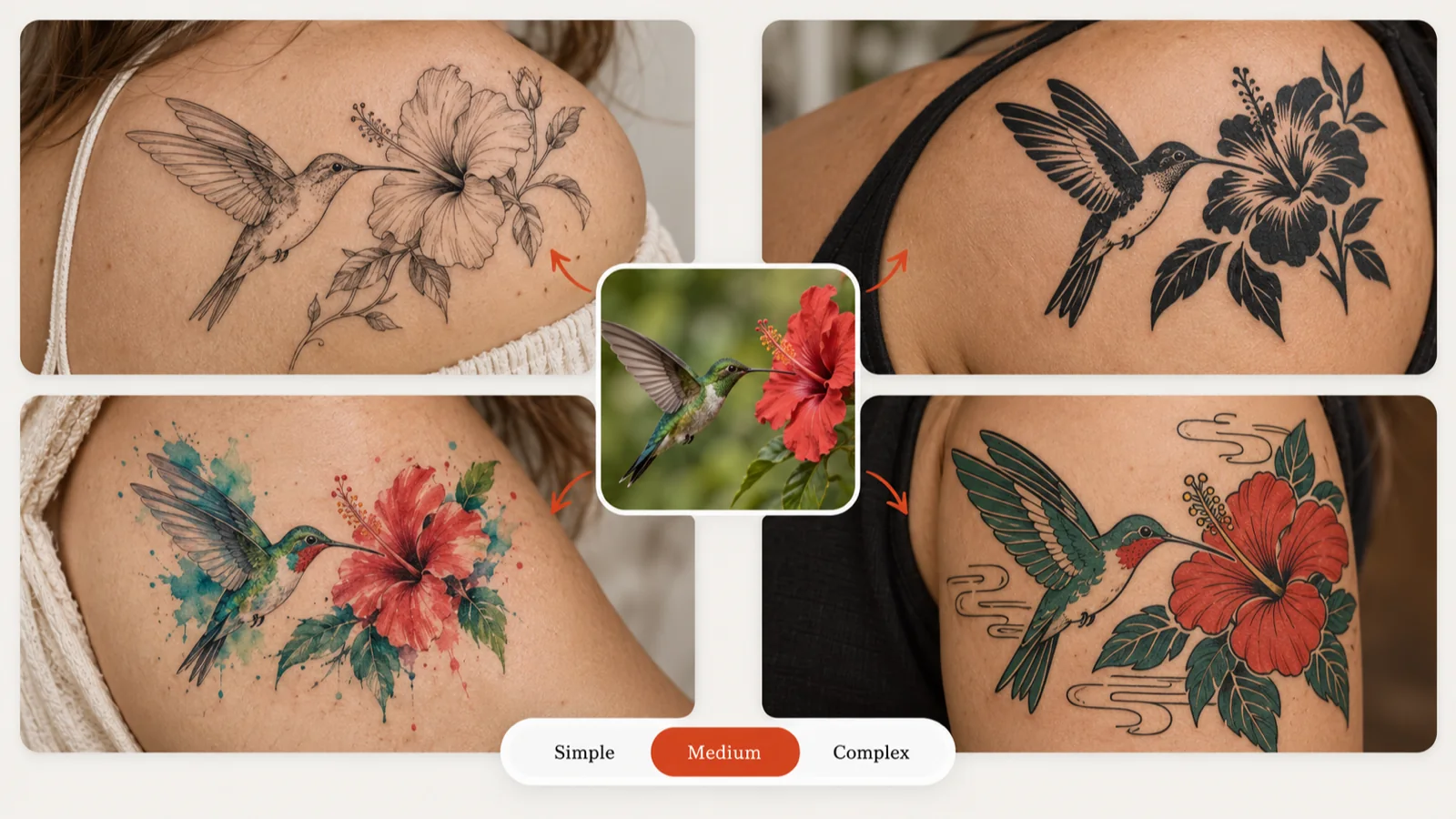
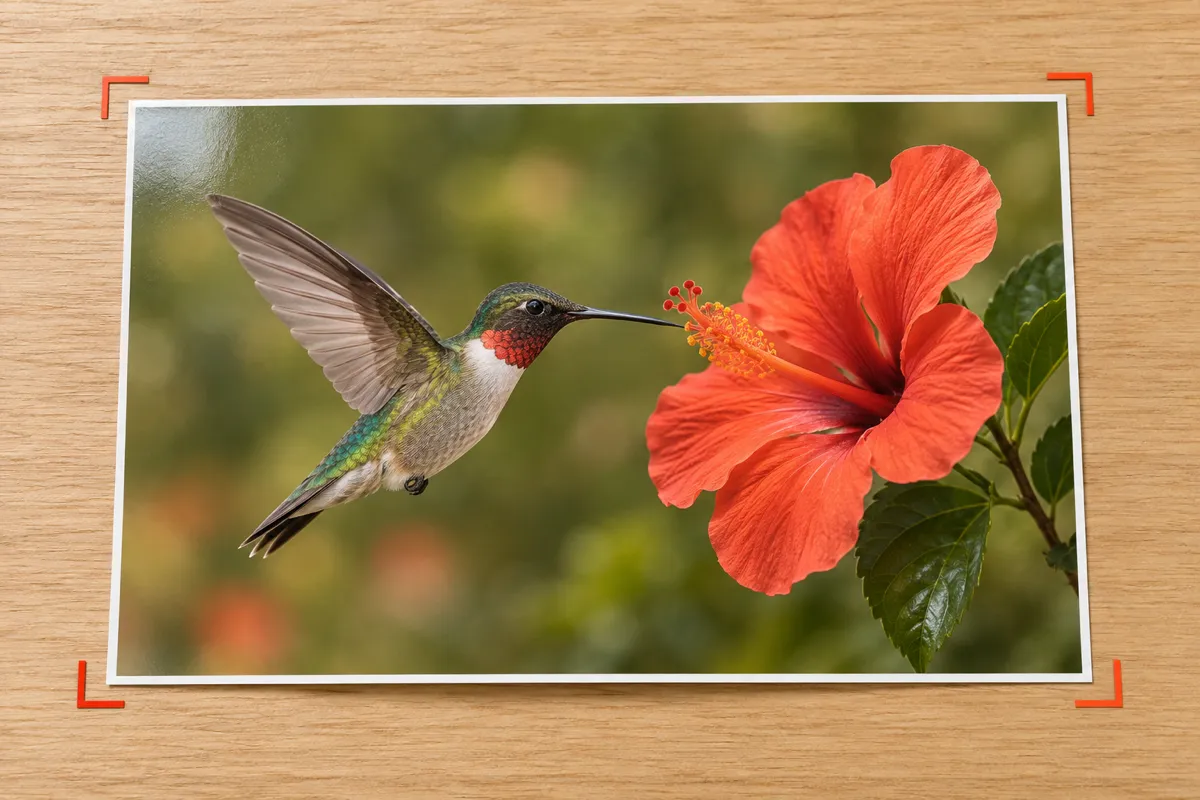
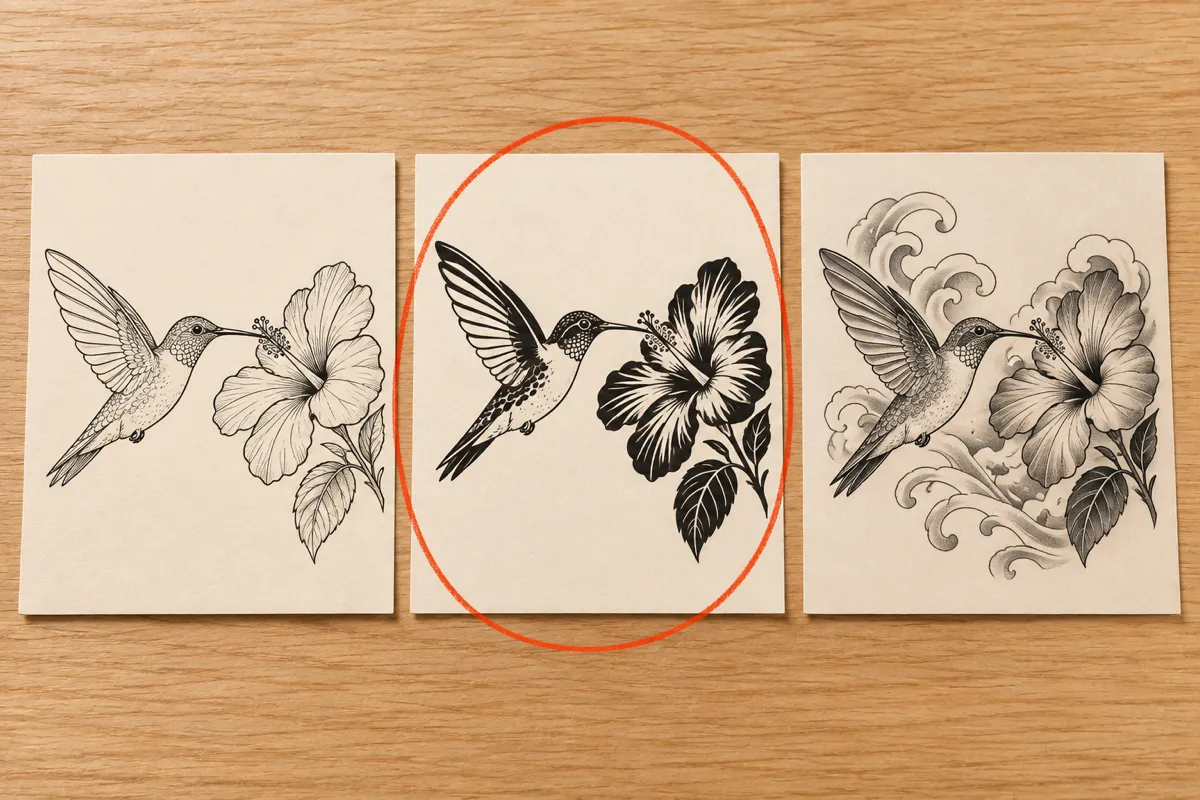
A hummingbird at a hibiscus flower can read as delicate fine line, solid blackwork, soft watercolor or bold Japanese work. Run the same image to tattoo request in several styles and set complexity to Simple, Medium or Complex to control how much detail survives. Every run shows its model and credit cost before you confirm. Line the results up in My Ink, and if one is close, send it to Tattoo to Stencil for cleaner outlines to bring to a consultation.
Turn Memories into Personal Tattoo Ideas
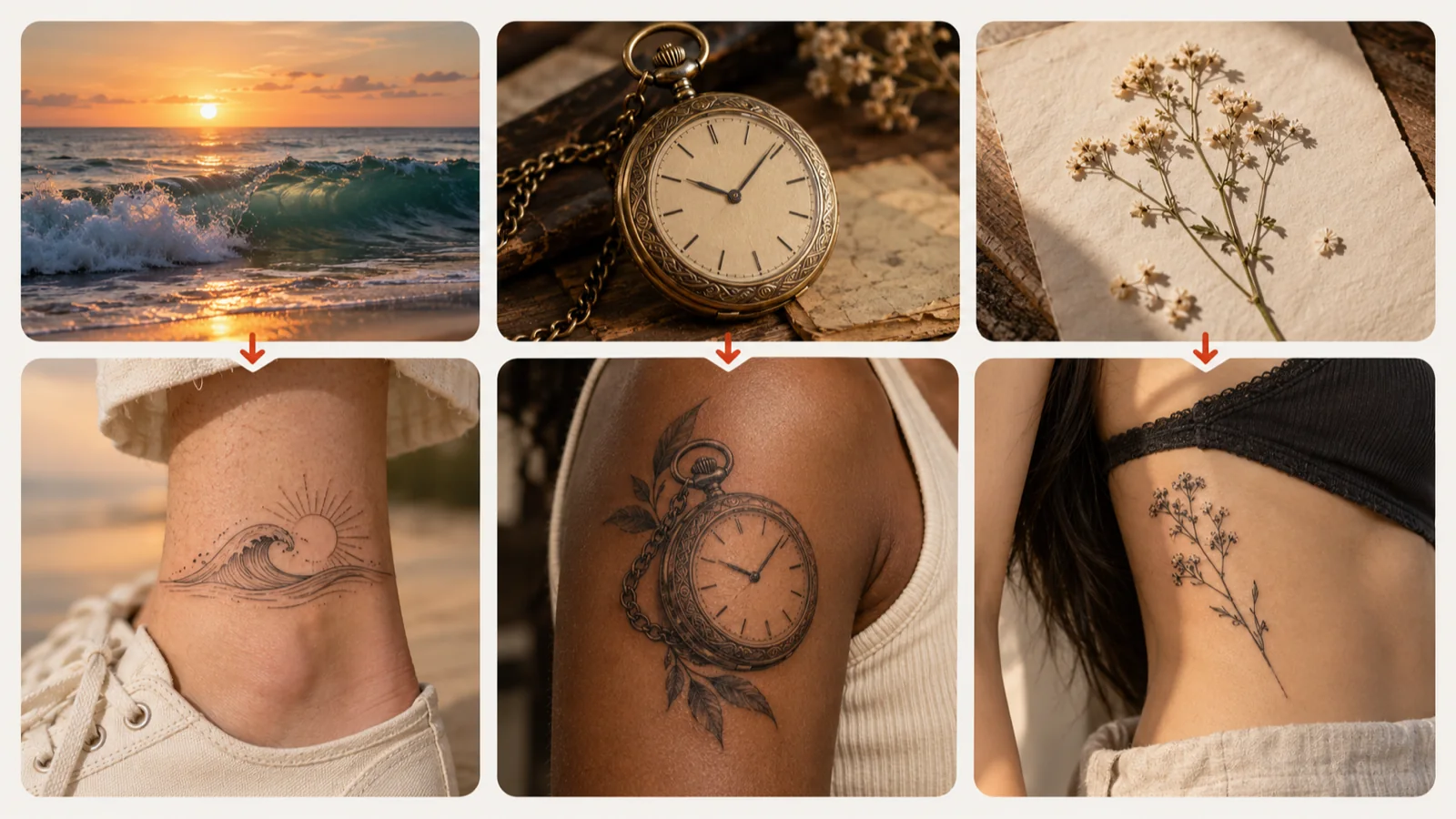
Some pictures carry more than a subject: a beach postcard from a family trip, a grandfather’s pocket watch, a flower pressed between book pages. Photo to tattoo conversion lets you see that memory as a small ankle piece, a realism arm piece or a delicate rib design. Decide which details carry the meaning before you pick a style, and keep the result that still feels like the original moment. Your artist can then refine the composition and add a name or date if you want one.
3 SIMPLE STEPS
How to Convert an Image to Tattoo Art
1
Upload your picture
Add a JPG, PNG or WebP file under 5 MB that you own or may use. A sharp photo or scan with one clear subject converts best.
The converter follows the pose, silhouette and facing direction of your upload, so your pet, place or object still looks like itself after the style changes.
Two model choices
GPT Image 2.5 is the default model for image to tattoo work, and Nano Banana 2 is available as an advanced option when you want a second interpretation.
Side-by-side check
A built-in comparison slider puts the original and the tattoo version in the same frame, making lost markings or changed proportions easy to spot.
Placement-aware shape
Set the body part and proportion before converting, so a forearm piece comes out tall and narrow while a shoulder piece gets a wider canvas.
Clean white background
Results arrive isolated on white, which makes them easy to print, place in a try-on preview or turn into a stencil.
Saved in My Ink
Favorite, download or share each conversion from My Ink, or carry it into Remix and Virtual Tattoo Try-on to keep developing the idea.
Image to Tattoo Examples
Upload your picture
Add a JPG, PNG or WebP file under 5 MB that you own or may use. A sharp photo or scan with one clear subject converts best.
What kind of picture works best for image to tattoo?
Pick a well-lit photo, scan or drawing with one main subject and a clear outline. Busy backgrounds, motion blur and tiny subjects give the AI less to follow, so crop tightly before you upload.
Will the tattoo look exactly like my photo?
It keeps the pose, outline and direction of your subject but redraws it in the chosen style, so fine textures change. Use the comparison slider to check the likeness and run it again if needed.
Can I use image to tattoo on a pet or portrait photo?
Yes. Pets, faces, flowers and objects all work. Raise the complexity when you need distinctive markings or features to survive the conversion, and only upload portraits of people who agreed to it.
How many credits does a photo to tattoo conversion cost?
A standard conversion costs 10 credits, and the exact cost shows on the button for the model you pick. Signed-in users get one free standard AI generation per day across all tools, reset at midnight UTC.
What happens to my uploaded image and results?
Results are saved to My Ink in your account. Paid plans add private designs and HD/2K output for sharper prints.
Is the image to tattoo result ready to ink?
Treat it as a strong concept. Your tattoo artist will adjust the linework, size and stencil to suit your skin and placement before tattooing.
Turn Your Favorite Photo into a Tattoo
Upload a picture you love, try the image to tattoo converter in a few styles, and bring the closest match to your next consultation.

 Upload your picture